We had a hard 3-month deadline to launch, no established design system, and no existing product to build on.
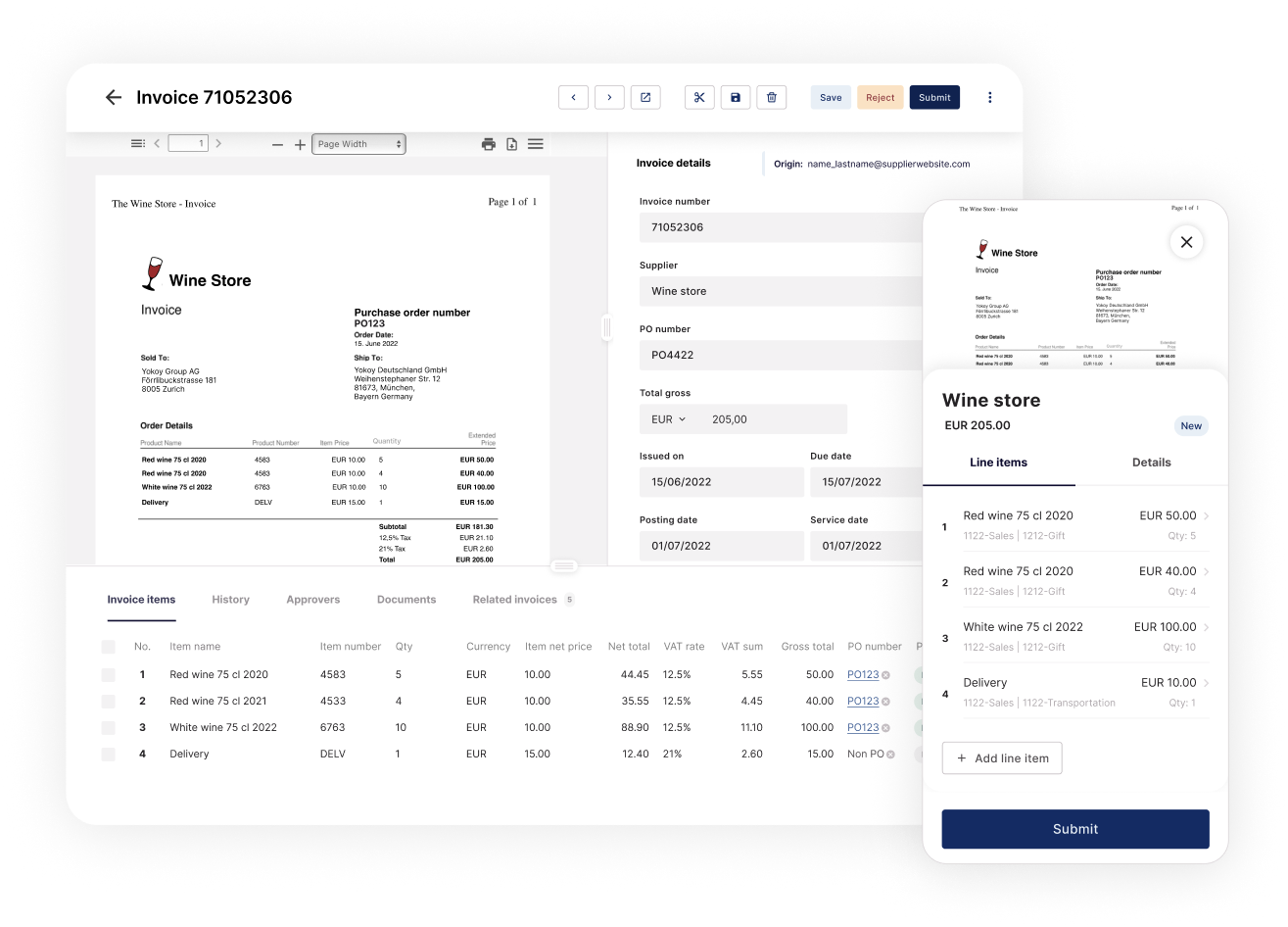
The team needed to build a complete invoice-processing workflow for people with very different jobs, from employees submitting invoices to finance teams managing complex approvals.
The Approach
- Strategic Mapping: We began with internal Subject Matter Expert (SME) interviews to define four distinct user roles: Submitter, Invoice Reviewer, Manager, and Finance.
- Feature Prioritization: Card sorting was used to ensure the most critical features were built for the MVP while less vital ideas were moved to the roadmap.
- Design system: Moving fast meant building enough infrastructure for the MVP. Instead of a full design system, I created only the components we needed.
- Rapid iteration: We implemented improvements immediately after each session, completing 8 full iterations in the time it would usually take for one.
Lean UX under a tight deadline
With three months to launch, we skipped the usual cycle of testing five to ten users before making changes. We tested one user, implemented improvements immediately, then tested again.
With a sample size of one, some changes made the experience worse. We monitored the results closely and reversed those changes when needed. That let us complete eight iterations in the time a standard cycle would normally take.
The MVP launched on time. Within 18 months, the product had become an industry leader and contributed to a nine-figure acquisition.
Understanding the Problem Space
Through discovery sessions with subject matter experts, the team identified 5 distinct user roles, each with competing priorities:
- Submitters needed simplicity: just upload an invoice and get it paid.
- Suppliers want to get paid quickly and notified if something goes wrong.
- Reviewers needed precision: verify supplier matches, validate amounts, catch AI errors, and handle complex scenarios like split single line item to multiple cost objects.
- Managers needed control: to see everything affecting their department, check for duplicates across the entire system, and approve or reject with context.
- Finance needed flexibility: change virtually any field except total amounts, reroute invoices when needed, and ultimately get everything booked and paid.

Prioritization Through Card Sorting
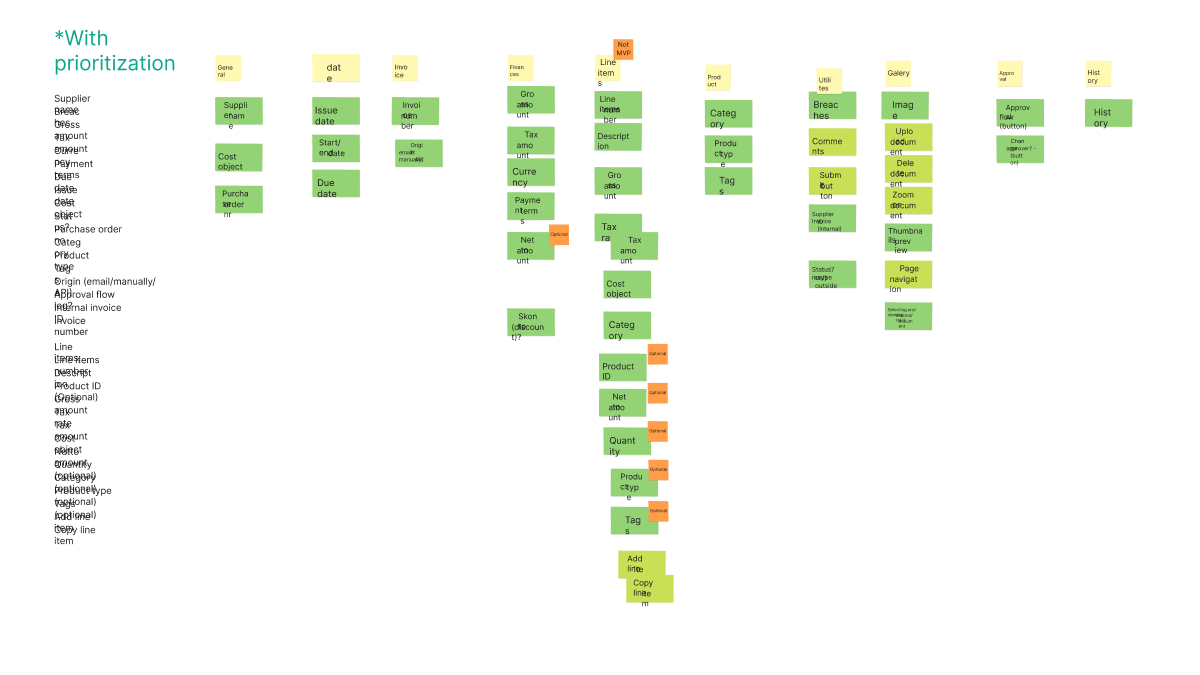
Card sorting clarified the priorities: start with headers, defer the details.
The MVP focused on header-level information, including supplier name, dates, and amounts, plus a document viewer. We marked the entire line-items category as "not MVP" and planned granular itemization for phase two. This let us ship a working product that covered the core workflow.
Design system in 12 hours
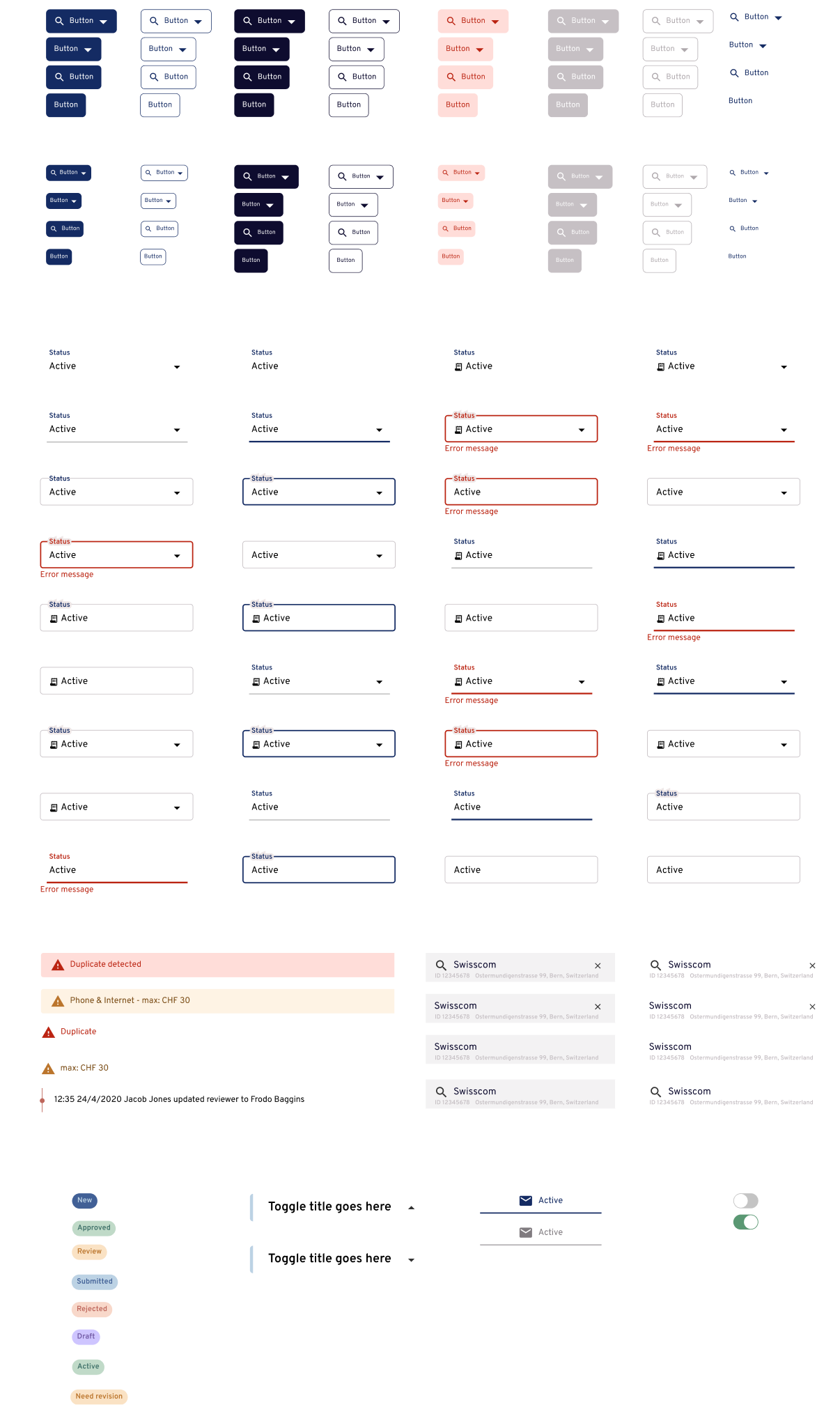
The deadline left no room for a full design system. I spent a 12-hour day building the minimal set of components we needed, all in one sitting. That was enough to support quick iteration and multiple prototypes. After launch, we built a proper design system from scratch, covered in a separate case study.
Design iterations
The team tested radically different layouts:
- Image on the right (failed—cut off line items)
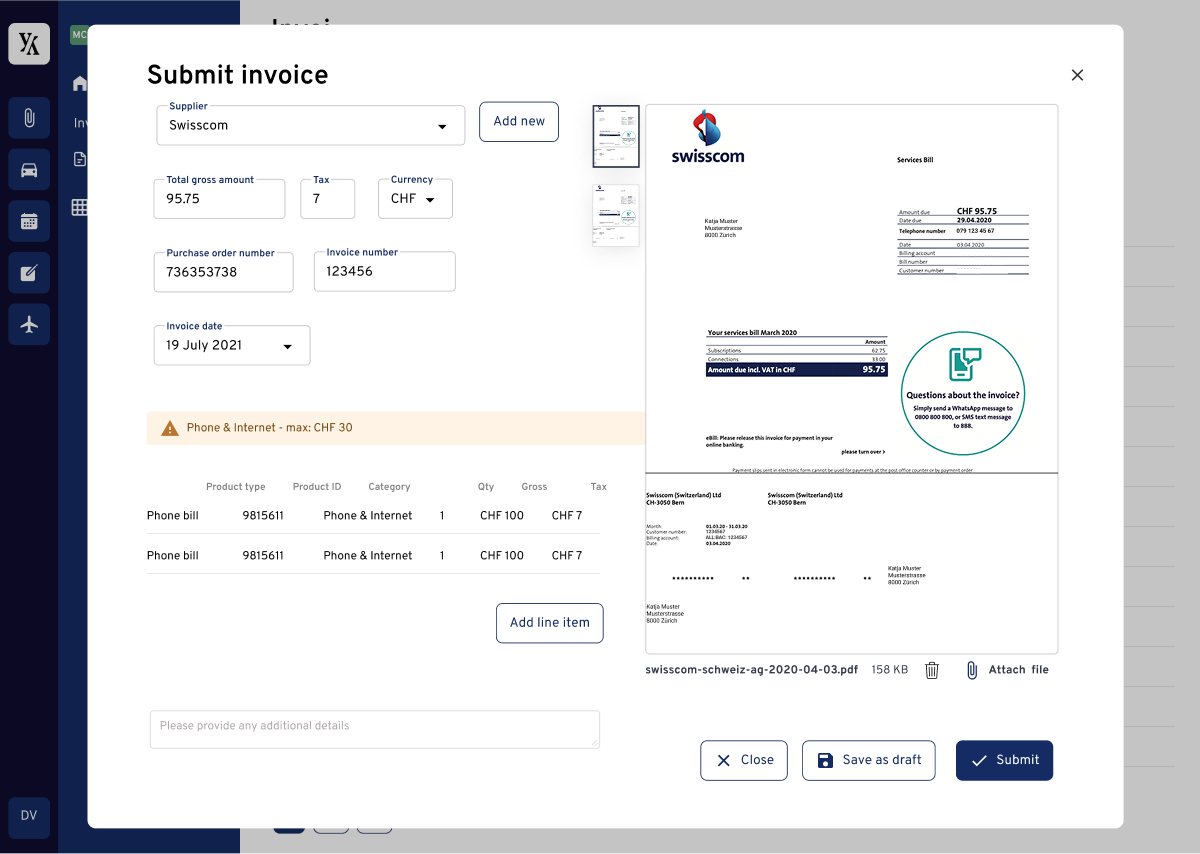
- Invoice page as modal (tested)
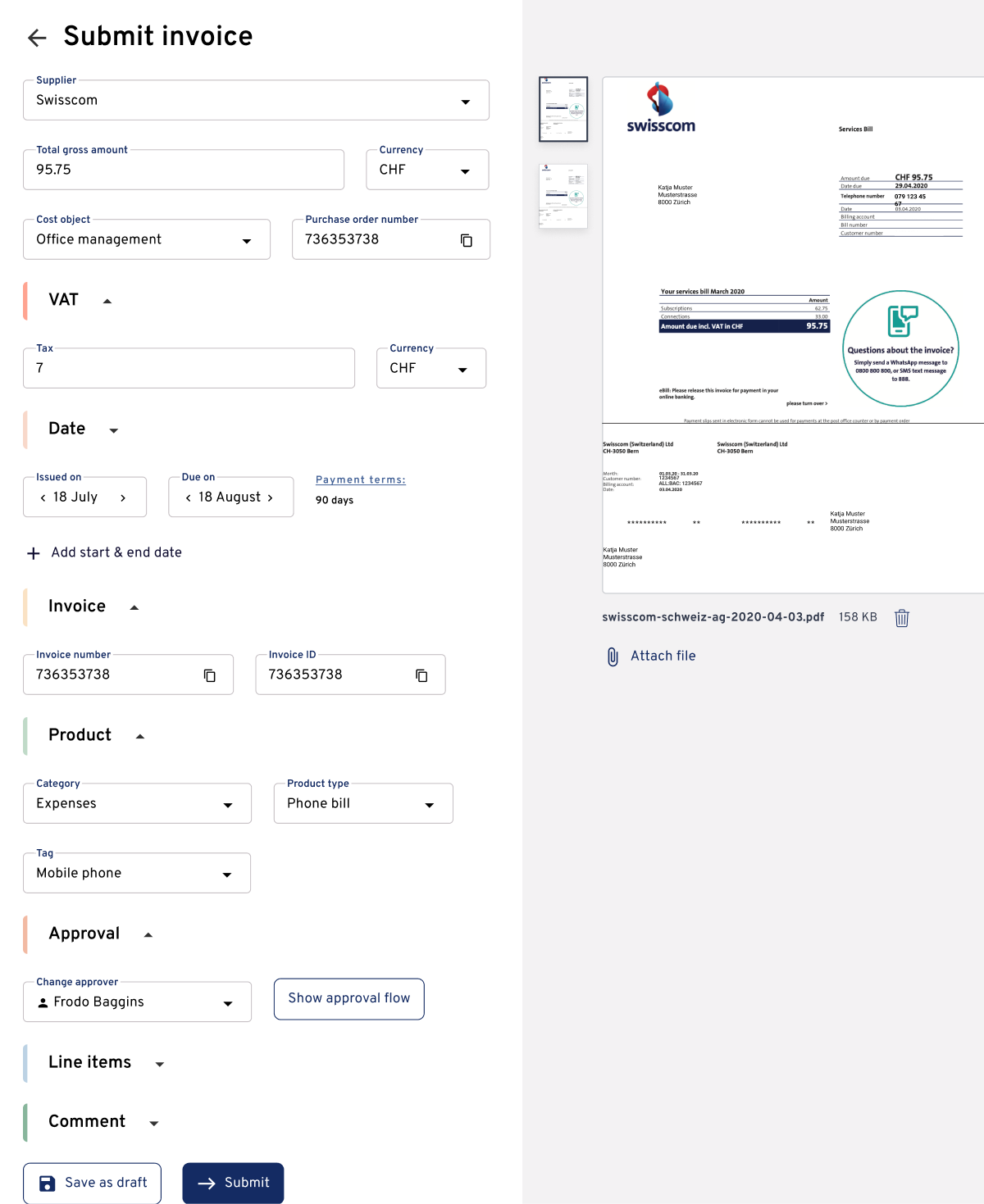
- Full-screen modal approach (tested)
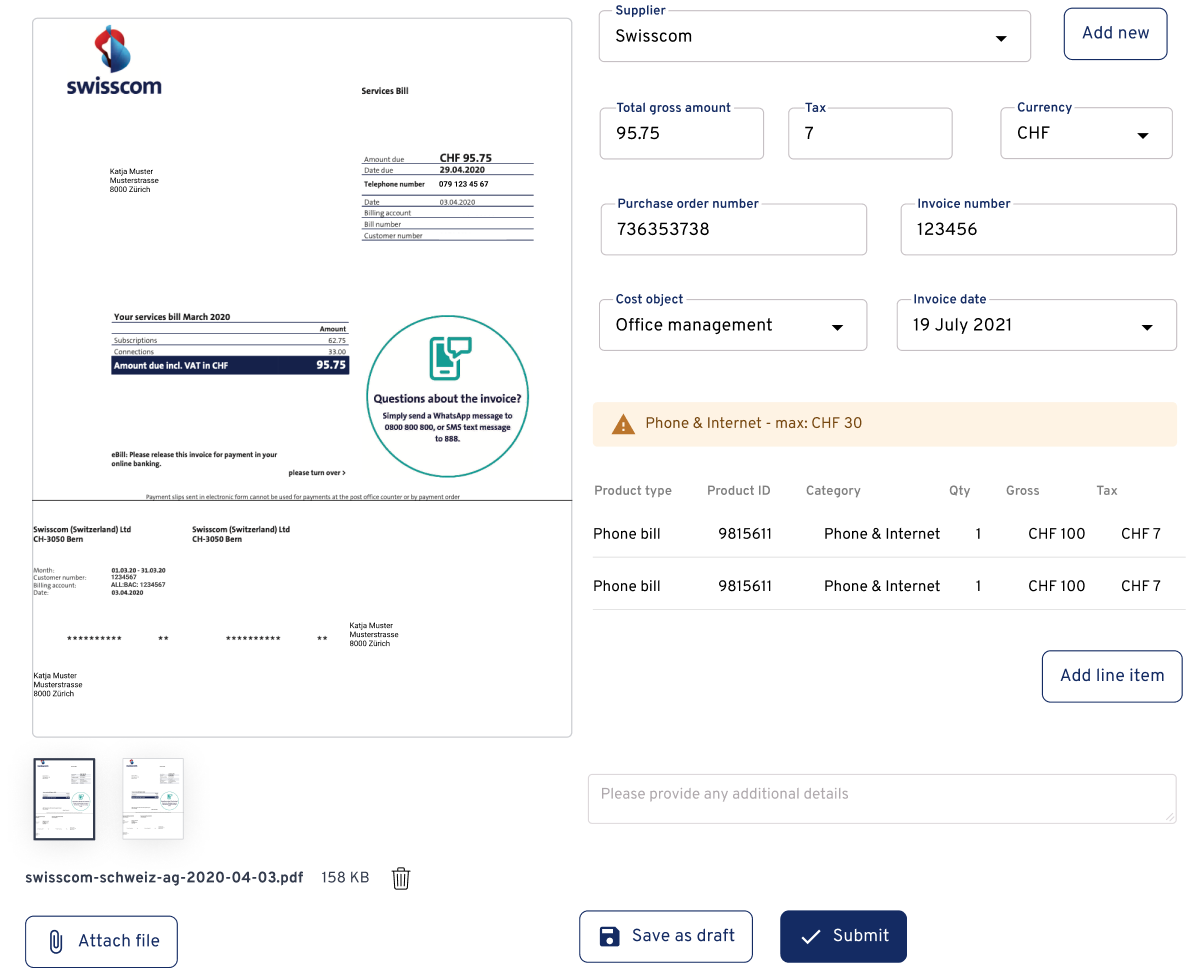
- Line items below at full width (tested)
- Action buttons in header vs. sidebar (evolved)
Initially, we tried an invoice modal with the image on the right, but line items were frequently cut off.
A full-screen modal with the image on the right gave us more space, but line items were still cut off on smaller screens.
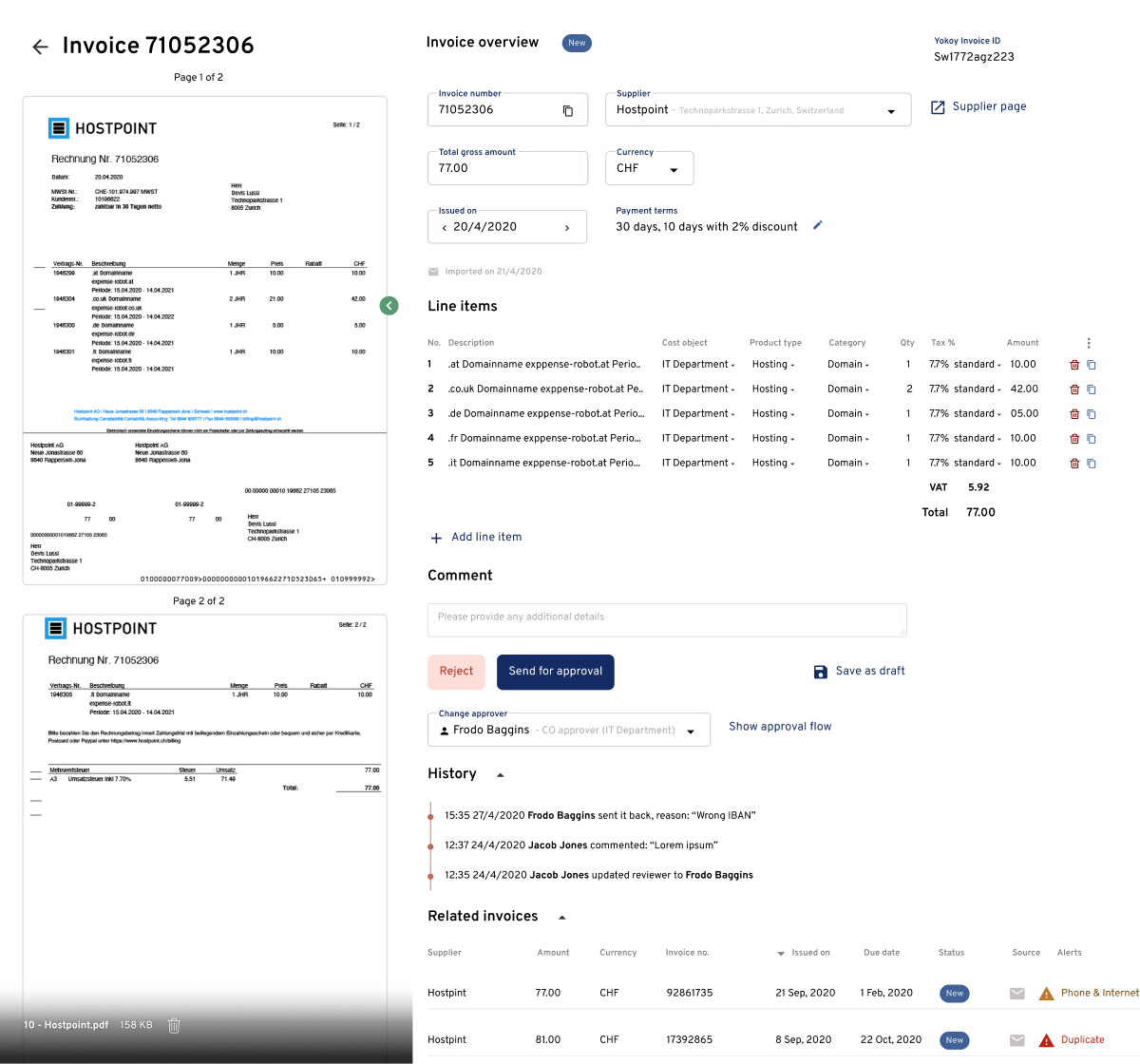
Moving the image to the left created more room for line items. Action buttons at the bottom were easy to miss, especially on longer invoices, and multi-page invoices required an extra click to view the next page.
Accordions saved space but made content harder to find. Making multi-page invoices scrollable was a major improvement.
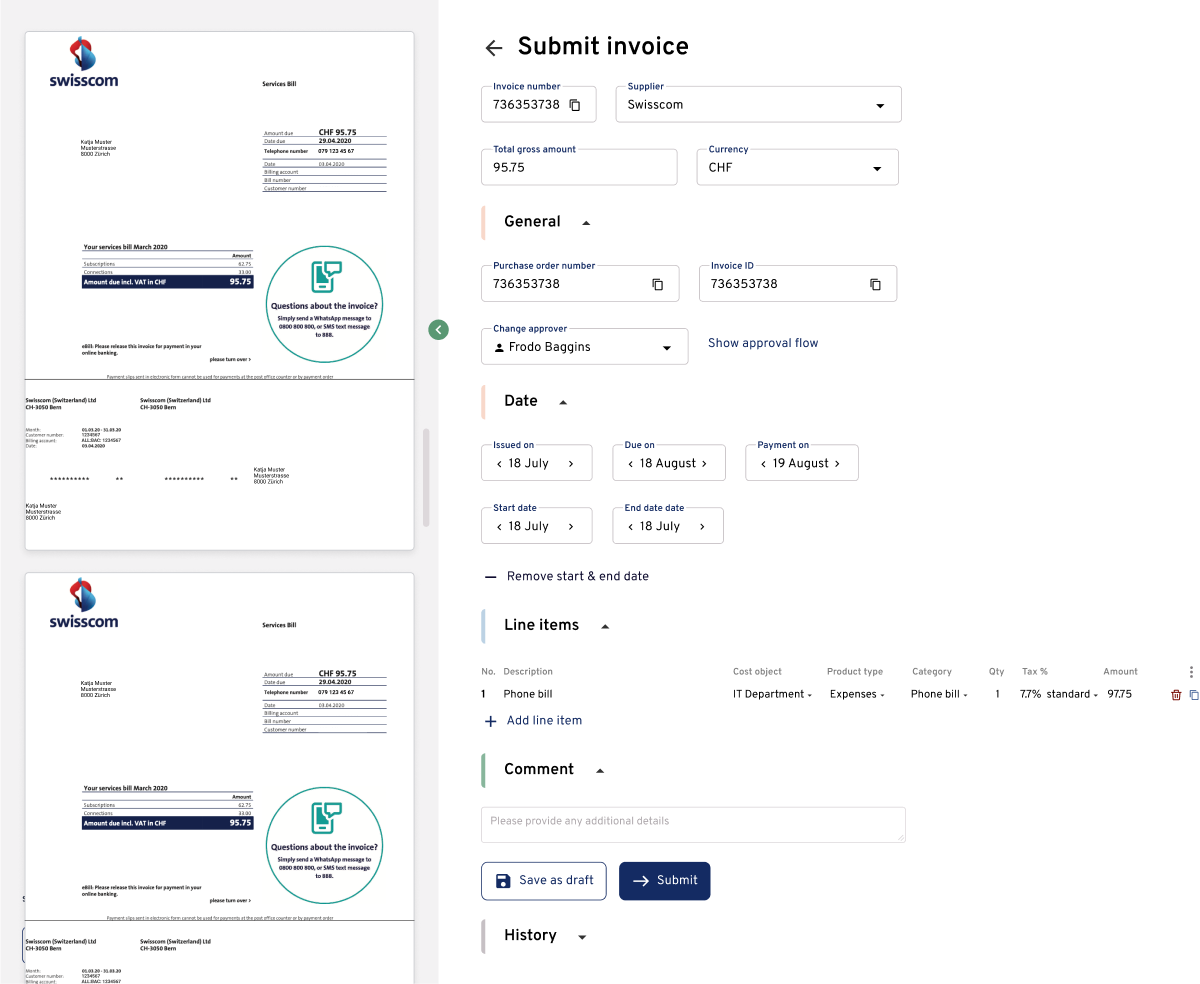
By then, we knew which sections mattered most, so we moved them to the top and out of accordions.
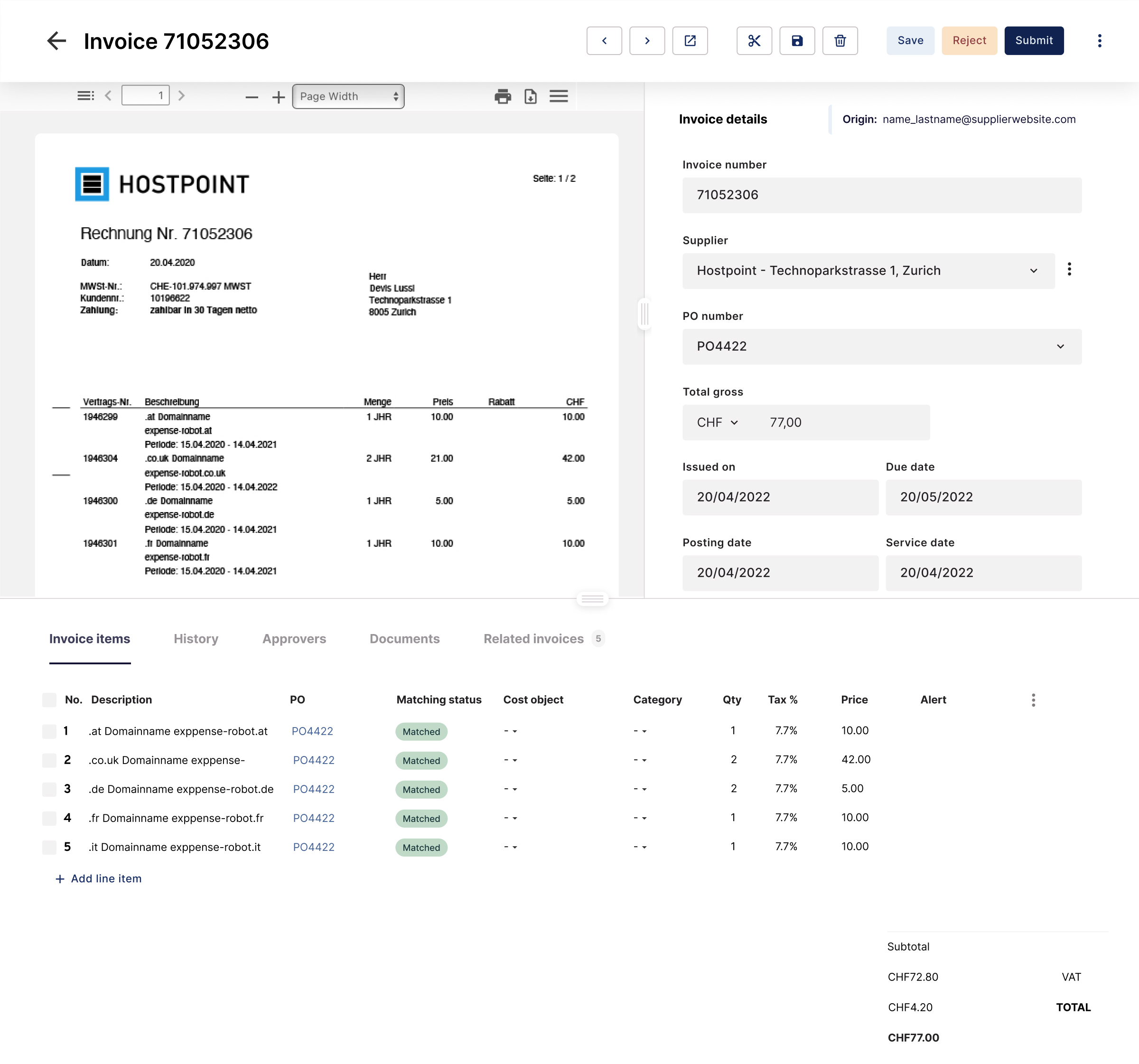
The final design put action buttons in the header and line items at full width below. Secondary content moved from accordions to tabs so people could find it without overloading the page.
What users told us
Testing surfaced needs we had not anticipated:
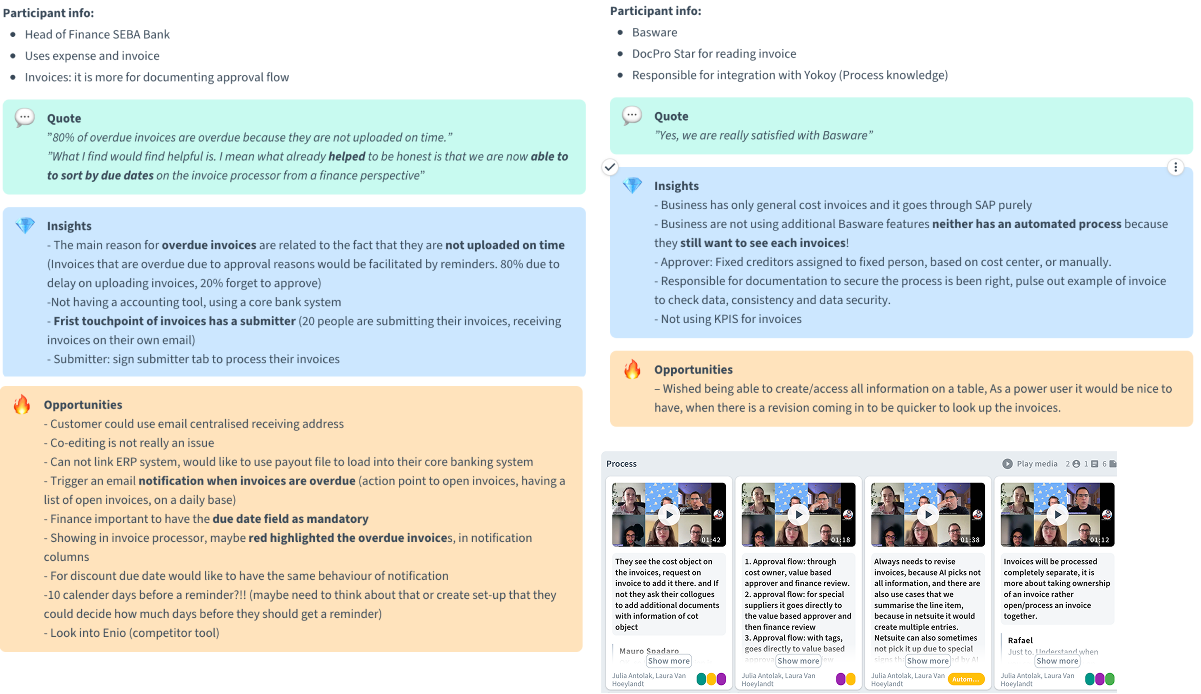
- The 80% problem: A head of finance at a bank said that 80% of overdue invoices were late because they had not been uploaded on time. We made due dates mandatory and sent reminders before invoices entered the system.
- The Approver Flexibility Gap: Users needed to change approvers at the invoice level because the same vendor might need different approval chains depending on what they were buying. A website development invoice needed different approval than a maintenance invoice from the same supplier.
- Power users: One participant said, "It would be nice to access all information in a table. As a power user, when there's a revision coming in, I need to look up invoices quickly." Submitters needed simplicity, while finance teams processing hundreds of invoices needed speed and data density.
- Comment visibility: Comments were buried in history, forcing users to dig for context. As one tester put it, comments are "used for communication and paper trail." They needed to be easy to find.
Needs we discovered
Rapid iteration exposed needs that became core features:
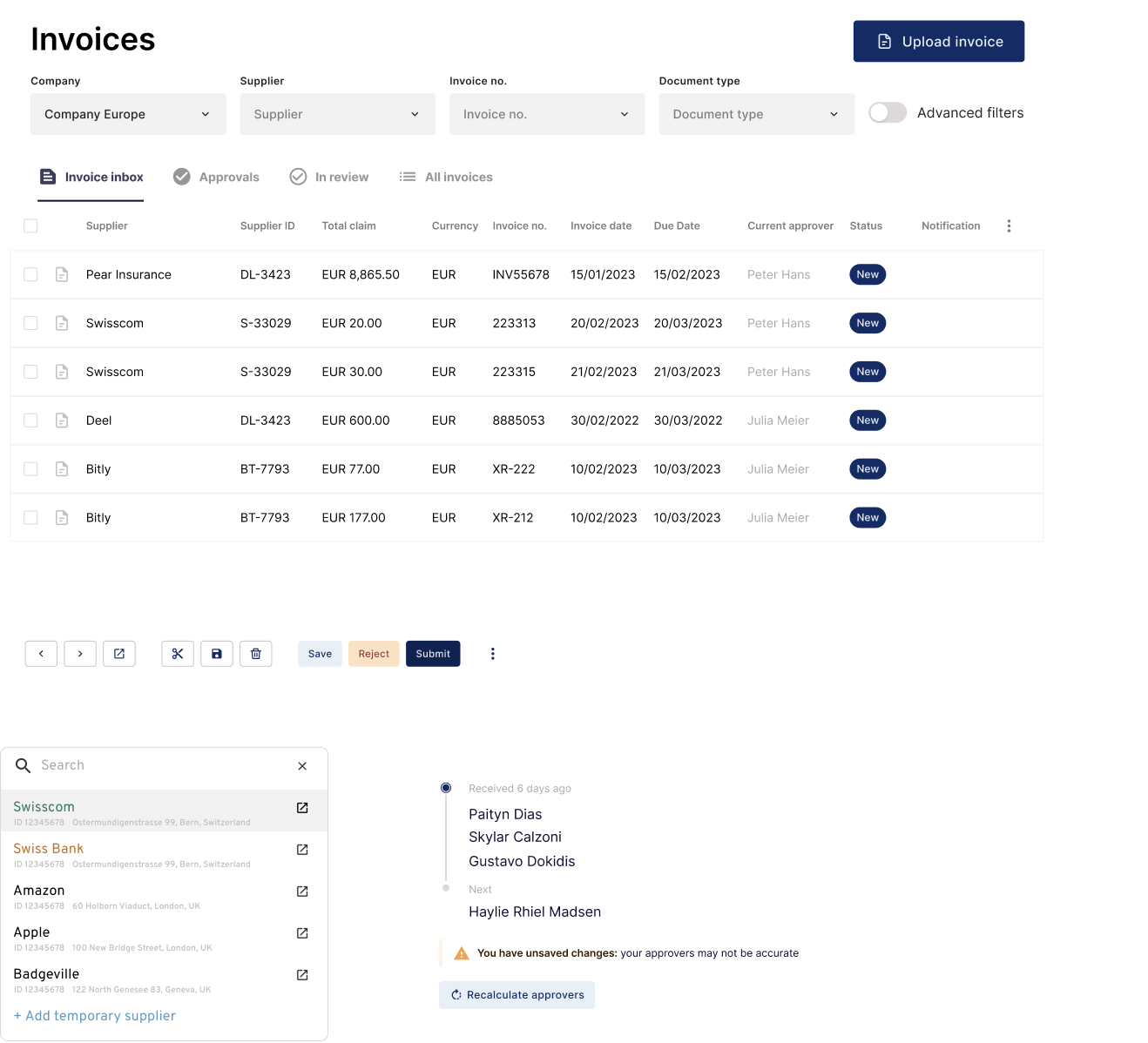
- Invoice Inbox concept for batch processing, treating invoices like emails in an inbox
- One-time supplier addition for edge cases where supplier isn't added to the master data in ERP
- AI certainty levels so reviewers knew when to double-check
- Next/previous navigation to avoid returning to table view
- Auto-load next invoice on submit to accelerate processing
- Full-screen PDF viewer optimized for dual monitors
Results
The project delivered:
- MVP live in 3 months despite starting from zero
- Industry leader in 18 months through continuous iteration
- Nine-figure acquisition driven partly by the product's market position

What we learned
- Fast, small tests need close monitoring. Testing individual users and implementing changes immediately can produce more iterations and learning than traditional batch testing, provided the team can spot and reverse mistakes.
- Talk to the people doing the work. The head of finance revealed that 80% of delays happened before invoices even entered the system. Without that conversation, the team would have optimized the wrong part of the workflow.
- Prioritization matters. Marking entire feature categories as "not MVP" feels risky, but it allowed us to ship a working product that solved the core problem on time.
- Design for discoverability. Critical features went undiscovered because they were not obvious. Adding features is not enough if people cannot find them.
Beyond invoices: three-way matching
7 MINUTE READ
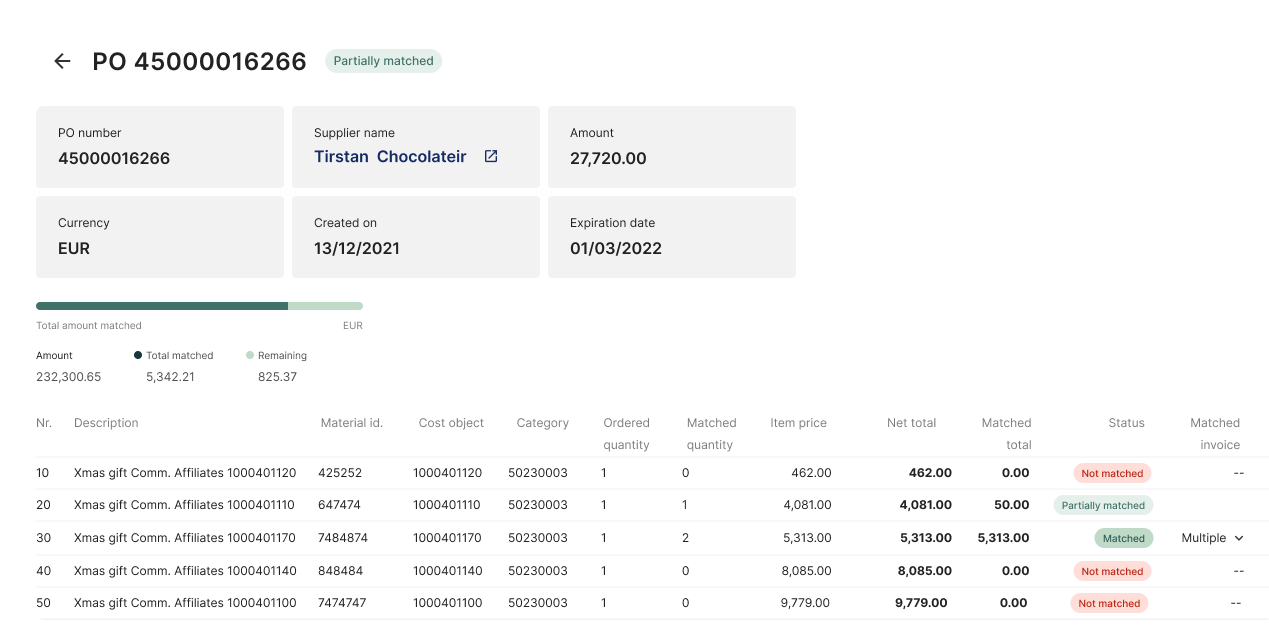
When a business orders supplies, three documents must align: the purchase order, the goods receipt, and the invoice.
Orders often arrive in multiple shipments, so one invoice line can match several delivery records.
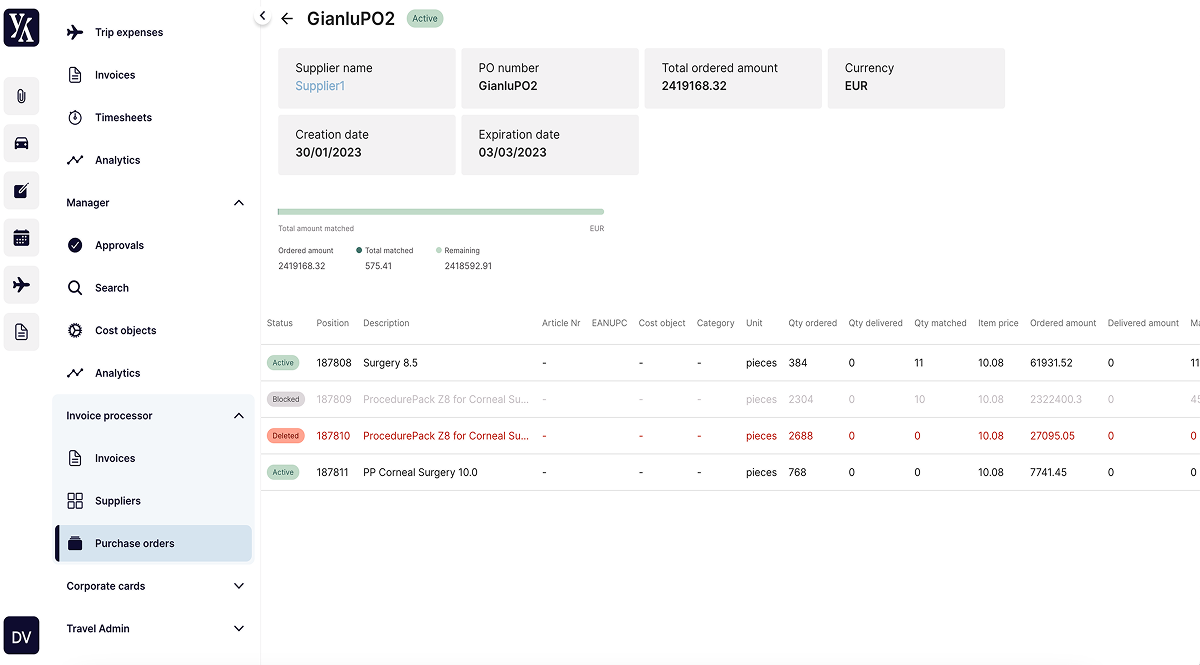
This project covered two-way matching, from invoice to purchase order, and three-way matching across the purchase order, invoice, and goods receipt. It also handled cases where one line item matched several purchase orders or goods receipts.
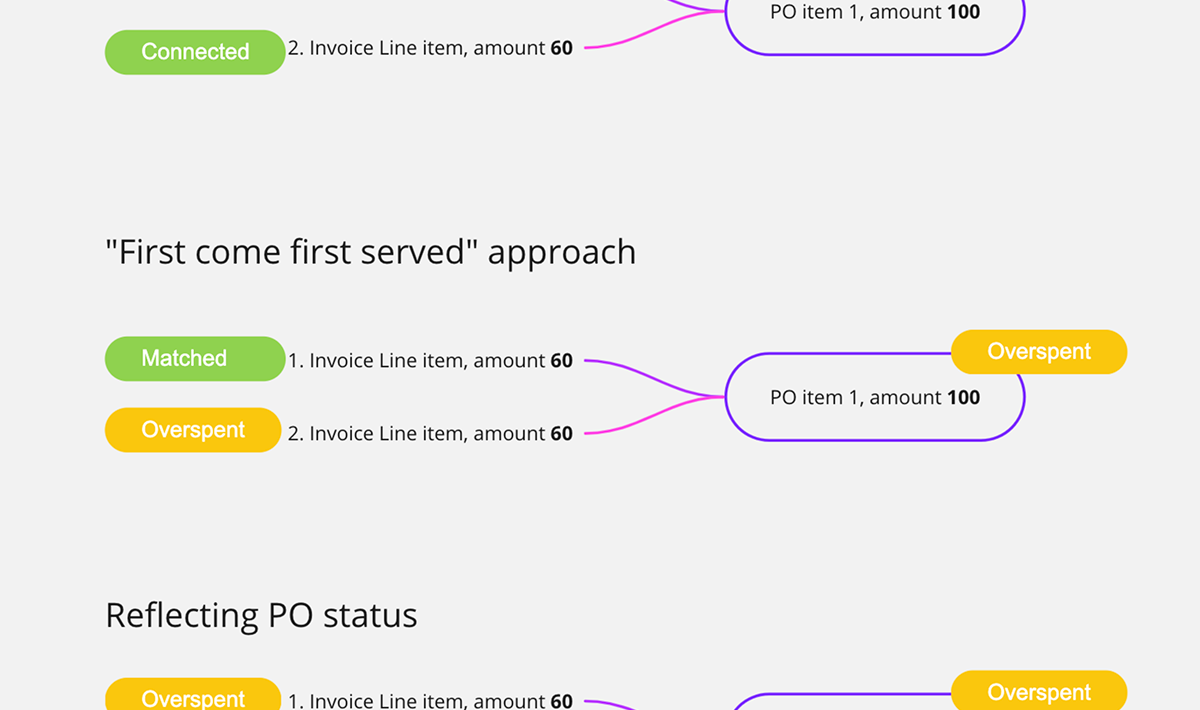
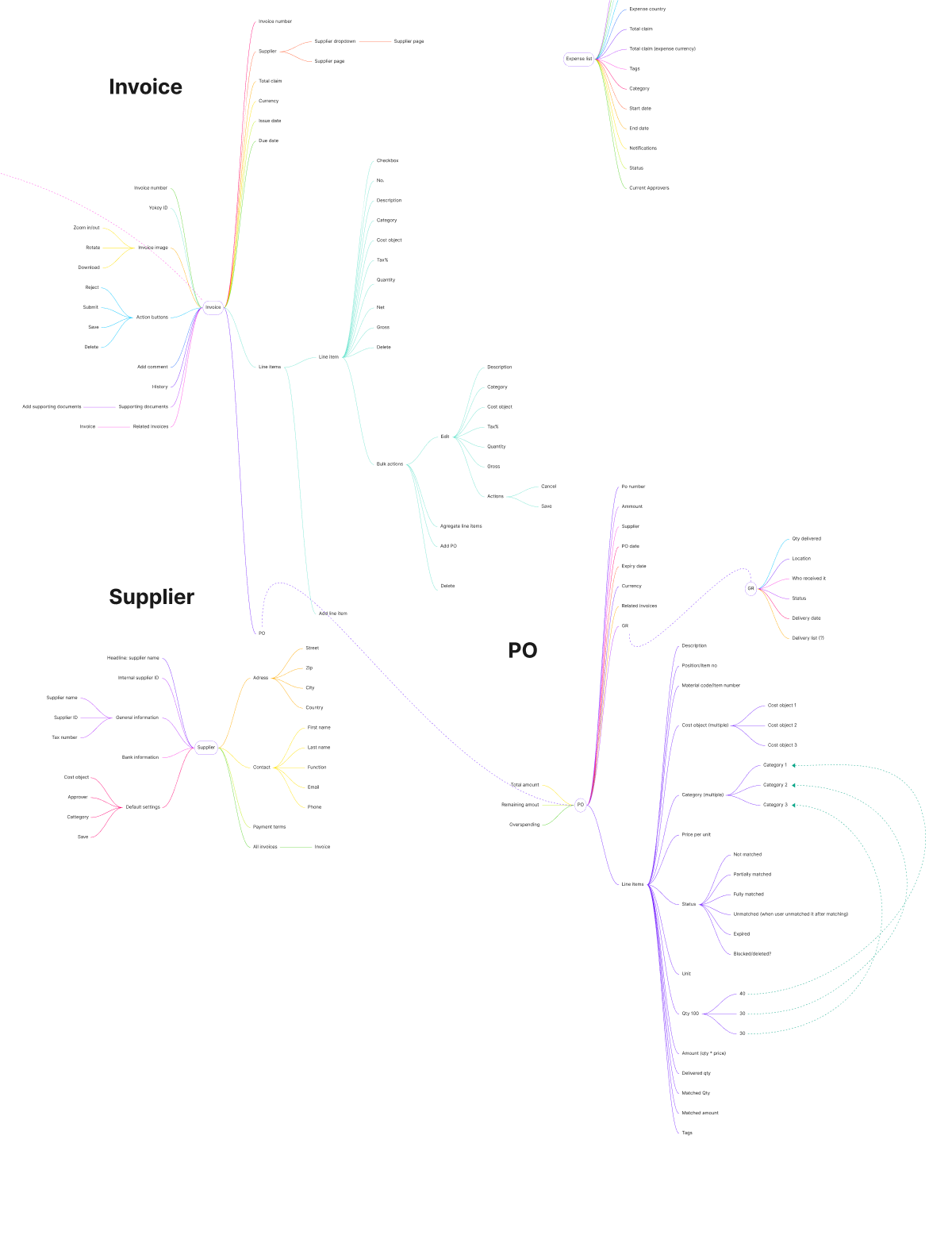
To understand how customers thought about matching, we used Miro mind-map elements to represent invoice and purchase-order line items. We began with open labeling to capture the terms people used naturally, then tested the most frequent terms with closed labeling.
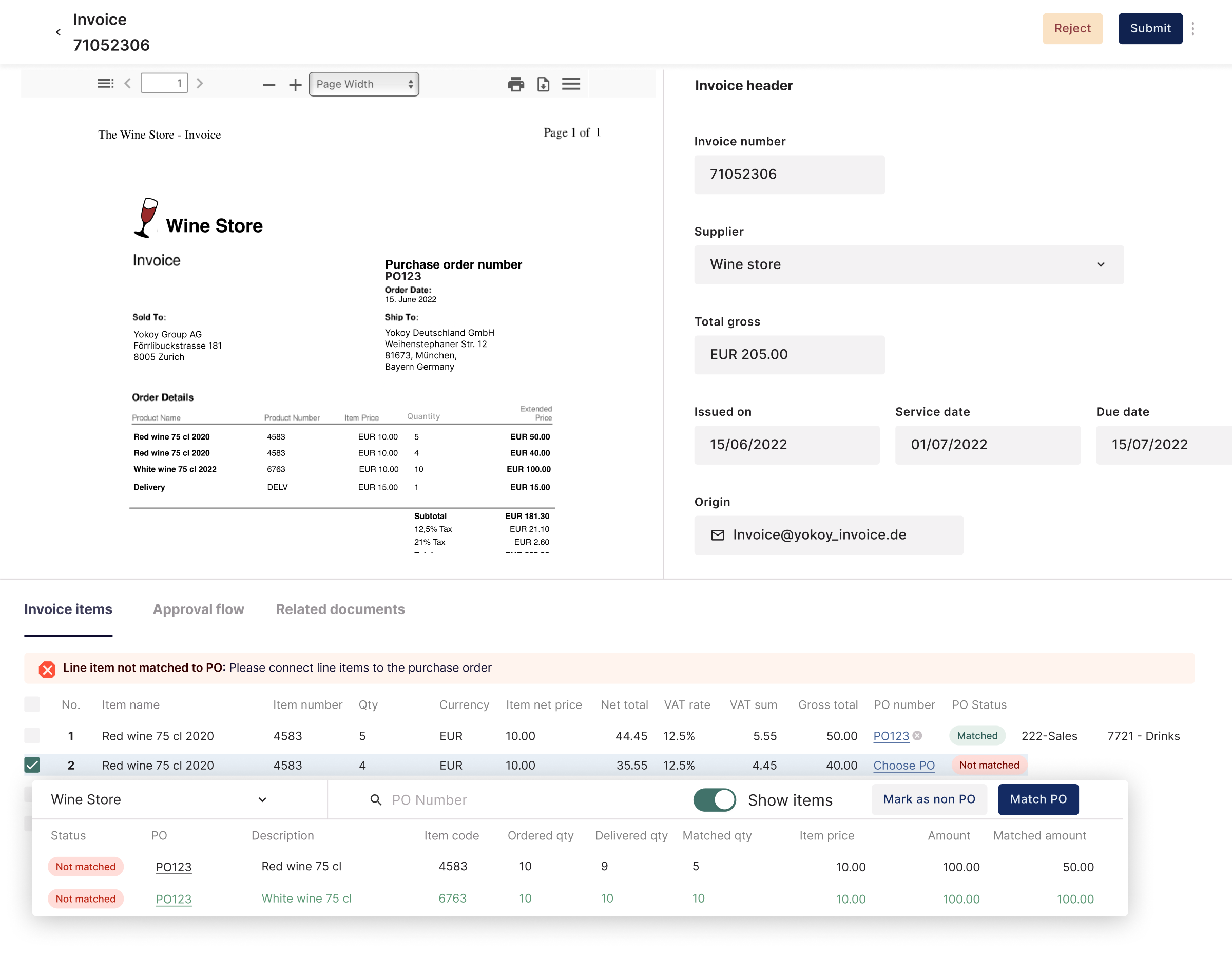
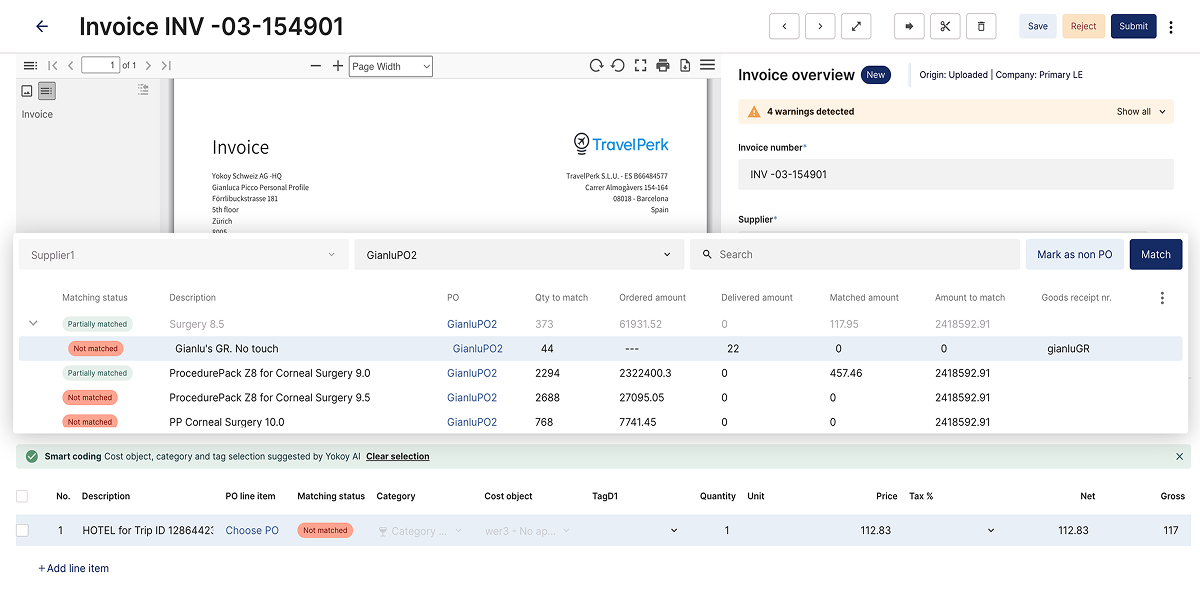
Early side-by-side layouts felt cramped with complex data. Nested accordions let users drill into shipments and match them without showing every detail at once. A draggable matching window removed the need to scroll constantly between documents.
Research Methodology
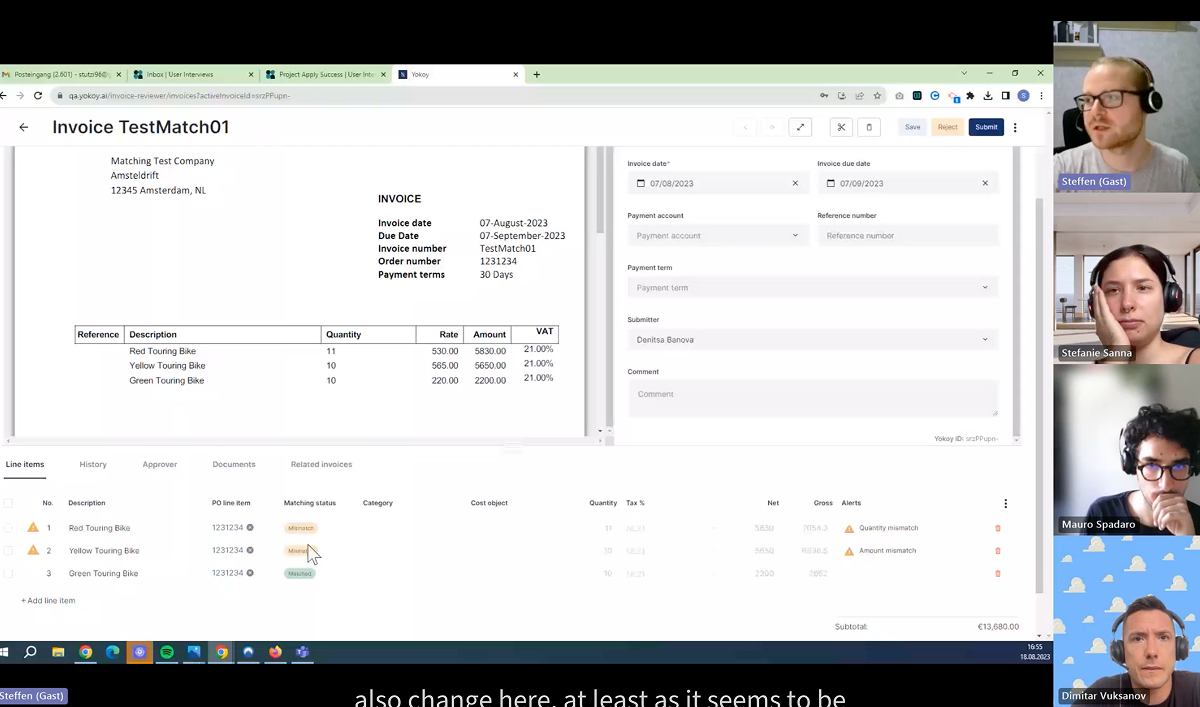
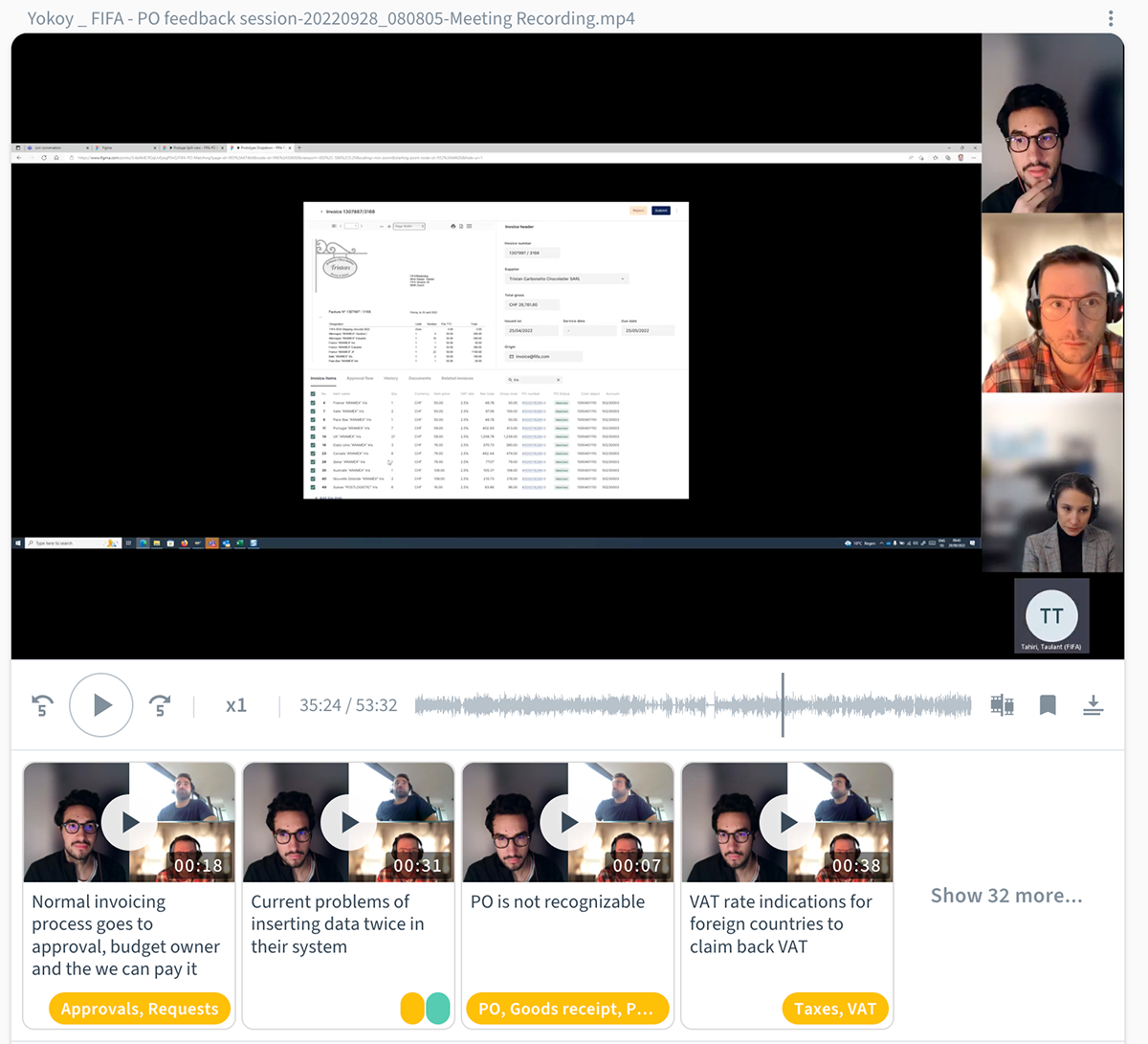
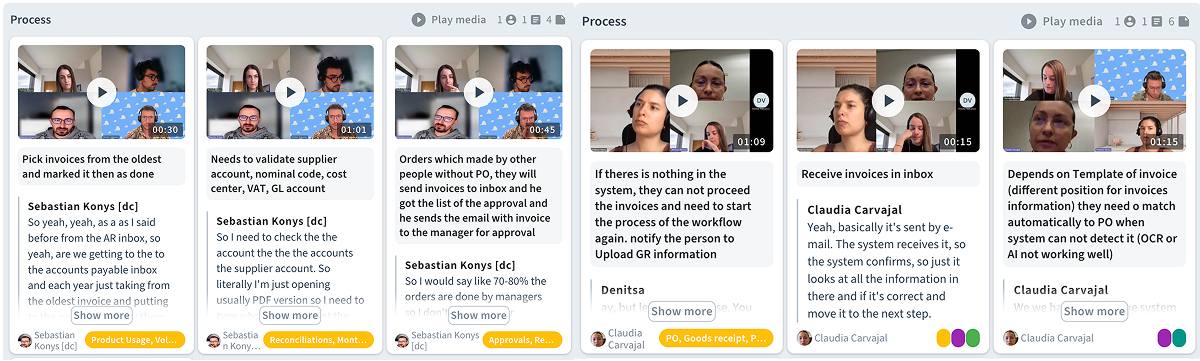
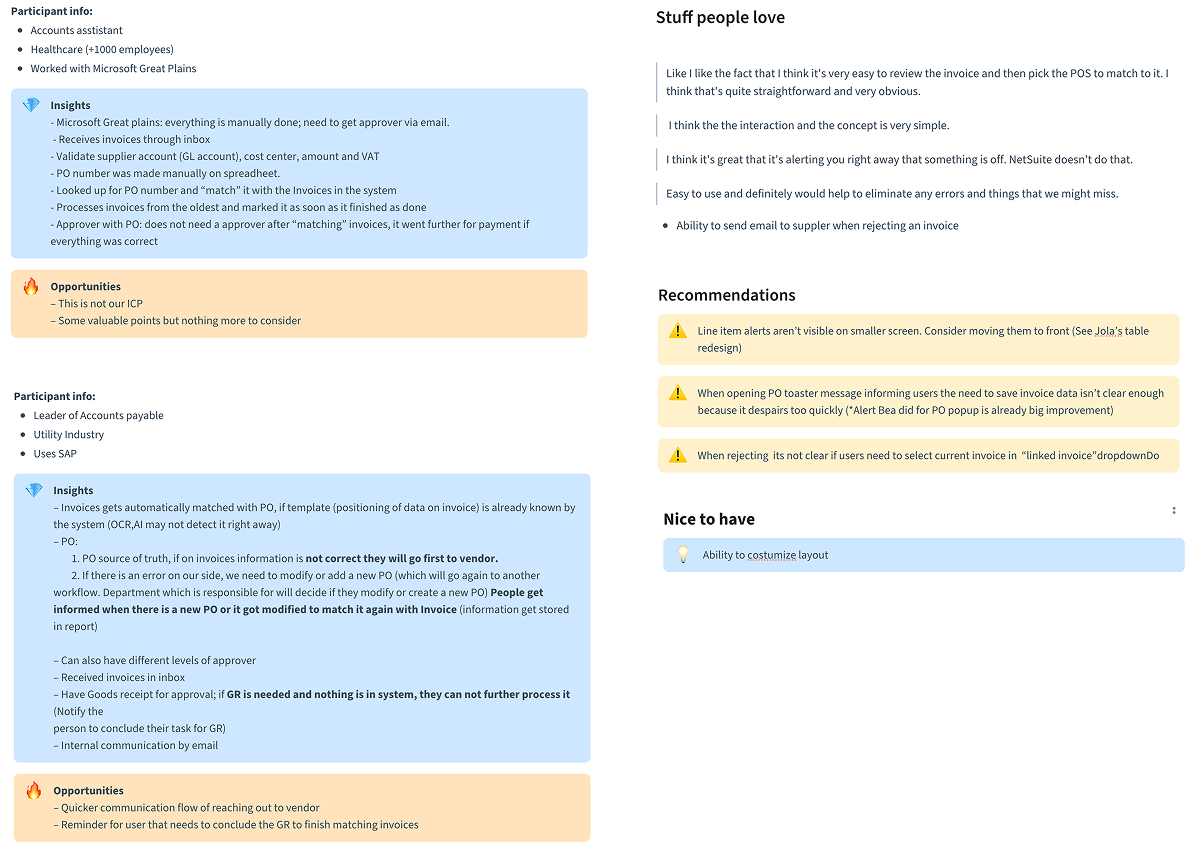
We interviewed finance and procurement professionals and tested prototypes with organizations including FIFA, Hitachi, and Distran. The sessions identified several matching states: unmatched, partially matched, fully matched, and overspent.
User insights and requirements
Testing showed that priorities varied by role and company size.
- Matching Accuracy and Complexity: Users require the ability to match one invoice to multiple POs and handle recurring invoices.
- Data Visibility: High importance is placed on seeing net and gross amounts, supplier names, and due dates. Procurement teams specifically focus on matching quantities and prices rather than just total amounts.
- Mobile and Workflow Integration: There is a strong demand for mobile approval workflows, especially for large organizations like FIFA.
- Audit and History: A clear timeline or audit log is necessary to see who received, uploaded, or rejected a document. This helps identify where an invoice might be stuck in the process.
- Discrepancy Management: When mismatches occur, users need an intuitive way to contact the buyer or procurement team to make corrections.
Challenges
Current systems and manual processes created several hurdles for users.
- System Performance: Existing tools are noted as being very slow, often requiring users to input data twice into both a verifier and an ERP system like SAP.
- Manual Data Coding: Finance consultants often have to manually find General Ledger (GL) accounts and cost objects because they are not always provided with the invoice.
- Notification Gaps: Important notifications are sometimes missed if they do not include deep links or attached invoices.
- Rigidity of POs: In certain industries, POs are viewed as rigid, especially for services where quantities are less relevant than total budget.
Recommendations
Based on the feedback, we prioritized the following improvements.
- Interface Redesign: Implement a side-by-side comparison view that allows users to see the invoice and PO simultaneously without switching screens.
- Automation and Sync: Enable real-time data synchronization from ERP systems to reduce manual entry.
- Bulk Actions: Develop capabilities for bulk editing cost objects and line items to increase efficiency.
- Tolerance Controls: Implement hard tolerance limits or warning messages for overconsumption, such as a 5% threshold.
- Improved Communication: Integrate a "raise a flag" or commenting feature within the tool to allow users to tag colleagues for clarification on discrepancies.
- Document Access: Ensure that delivery notes and original PO PDFs are easily accessible within the matching screen.