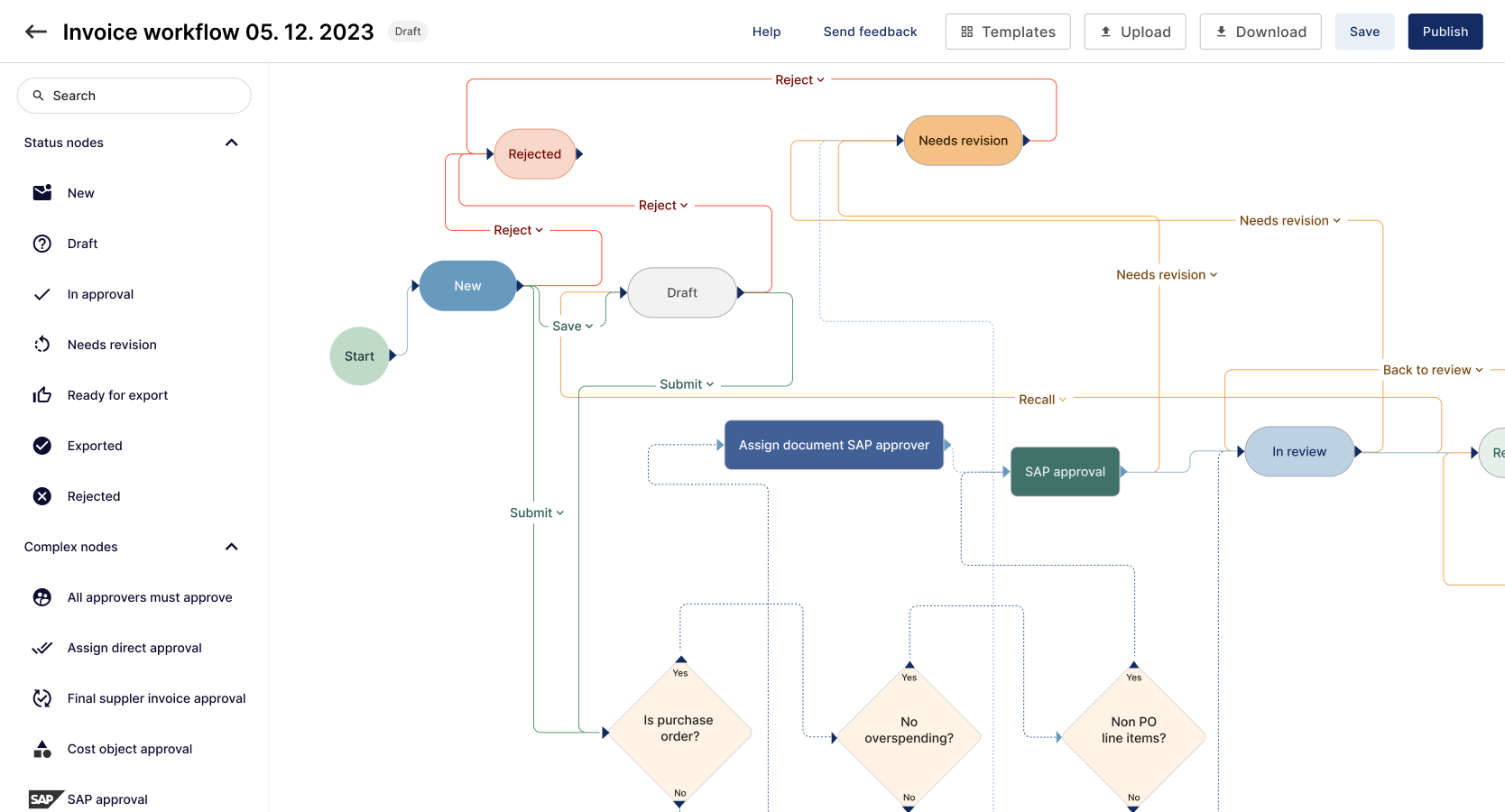
Each customer workflow took months to implement because our CTO had to hand-code it. The delay held up revenue and cost us deals.
We built a visual workflow builder that let implementation managers configure complex approval flows without code. Templates also gave customers a way to handle common scenarios themselves.
Impact
- Reduced implementation time from months to hours.
- Drove $2M ARR growth.
- Removed the need for engineering to hand-code every workflow.
- Enabled non-technical users to build complex workflows.
Role
Led product design from research with the implementation team through the final UI and templates.
Approach
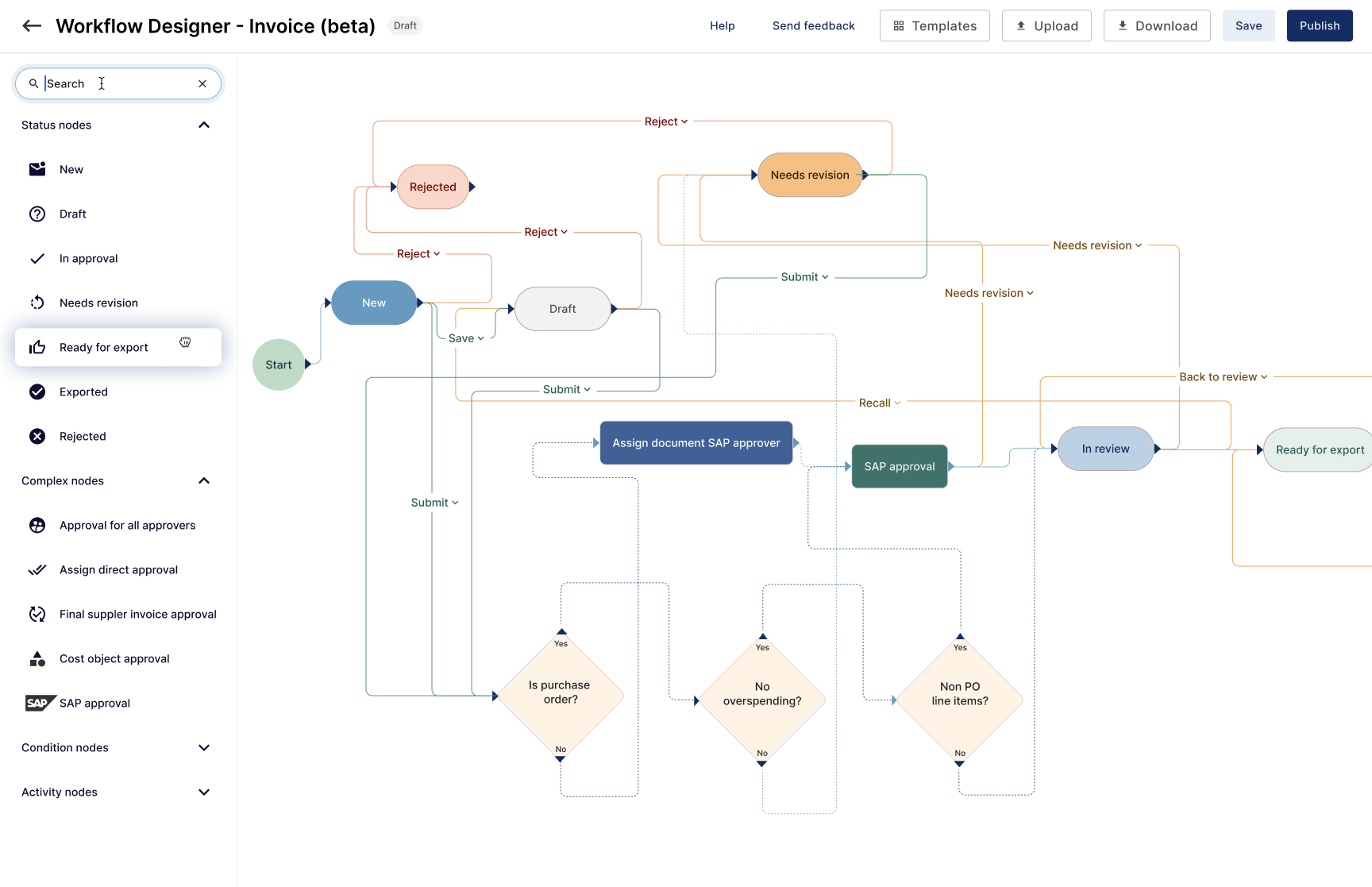
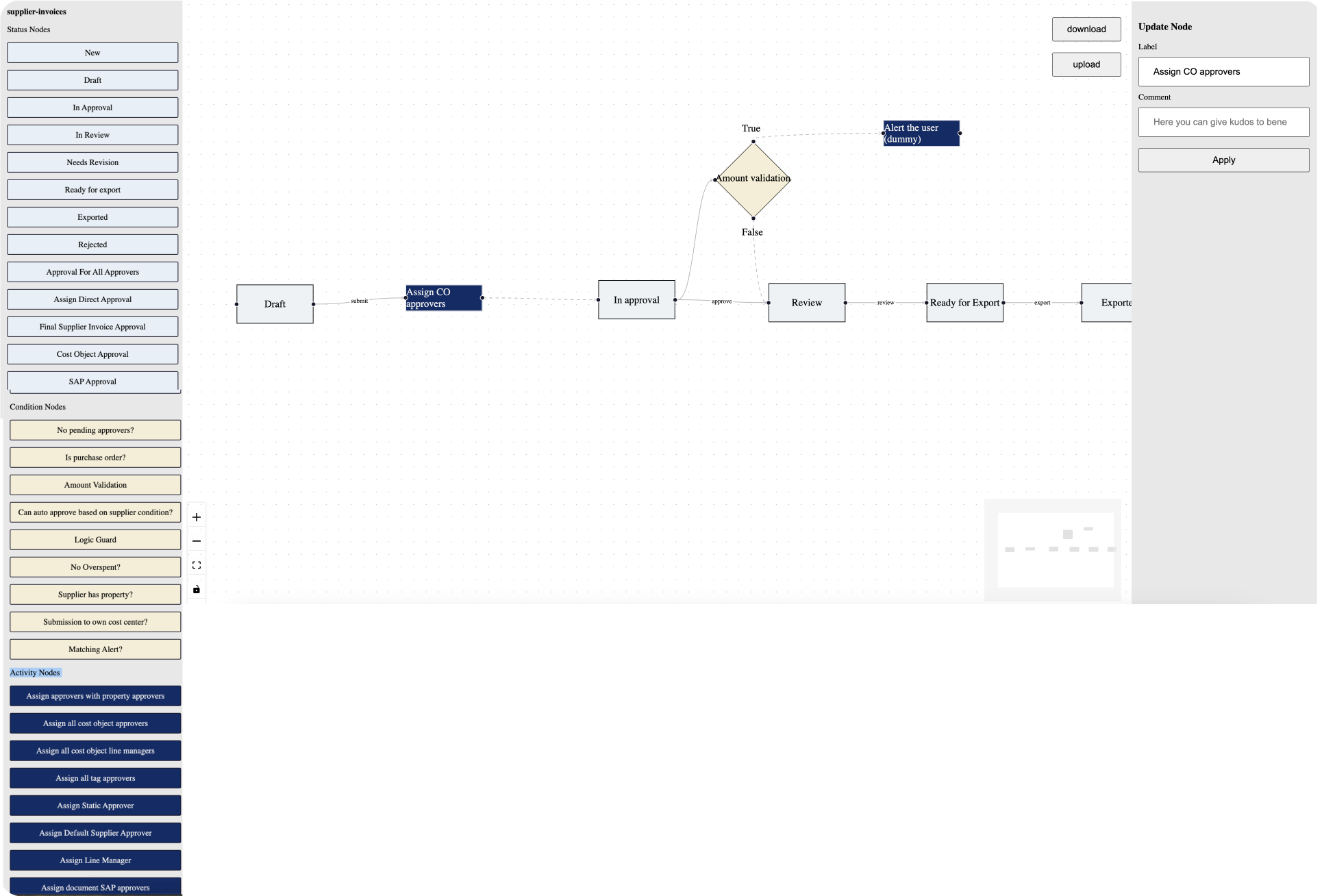
The interaction model was too complex to validate in Figma or another static tool, so we built a working prototype instead. An existing library gave us the functionality we needed to move quickly, test the idea, and polish it later.
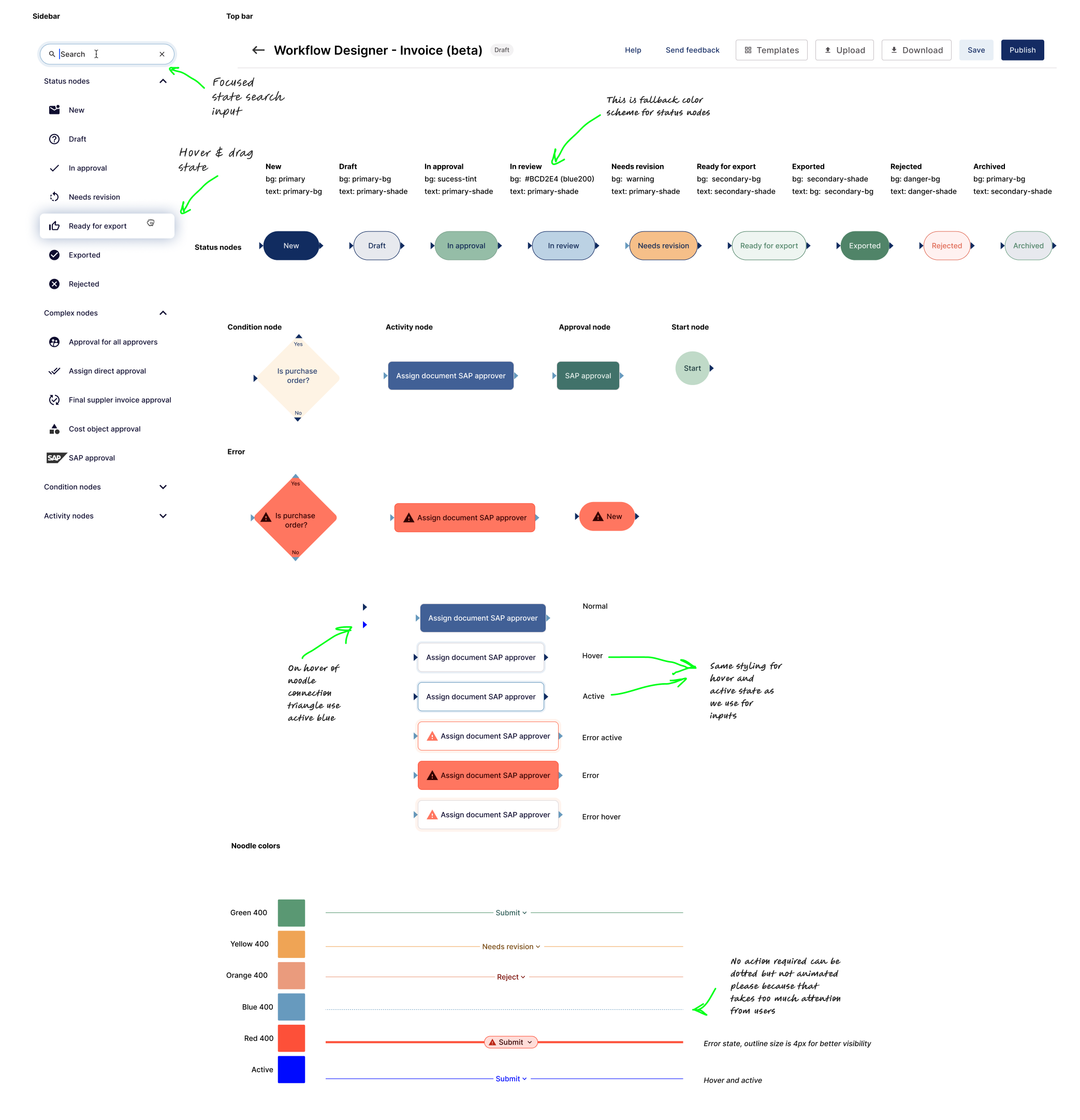
We tested the live prototype before polishing the UI and applying the Yokoy design system. After several rounds of iteration, we refined the experience and brought it into the product's visual language.
We also defined the underlying state machine, including New, Draft, In approval, In review, Needs revision, Ready for export, Exported, Rejected, and Archived. Dedicated Condition, Activity, and Approval nodes supported those states.
Research & Testing
We ran two rounds of testing: eight participants used the initial version of the workflow designer, then five more tested the same flows after we applied the Yokoy design system.
Participants configured a cost-object approval flow for an invoice customer. They uploaded a provided file, explored the canvas and toolbox, then adapted the flow as the requirements changed.
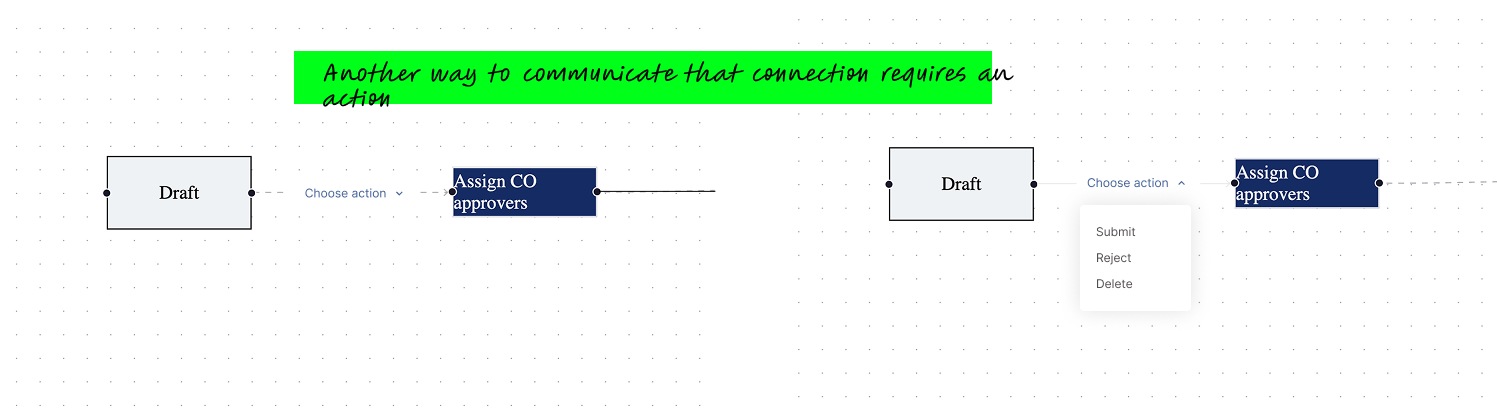
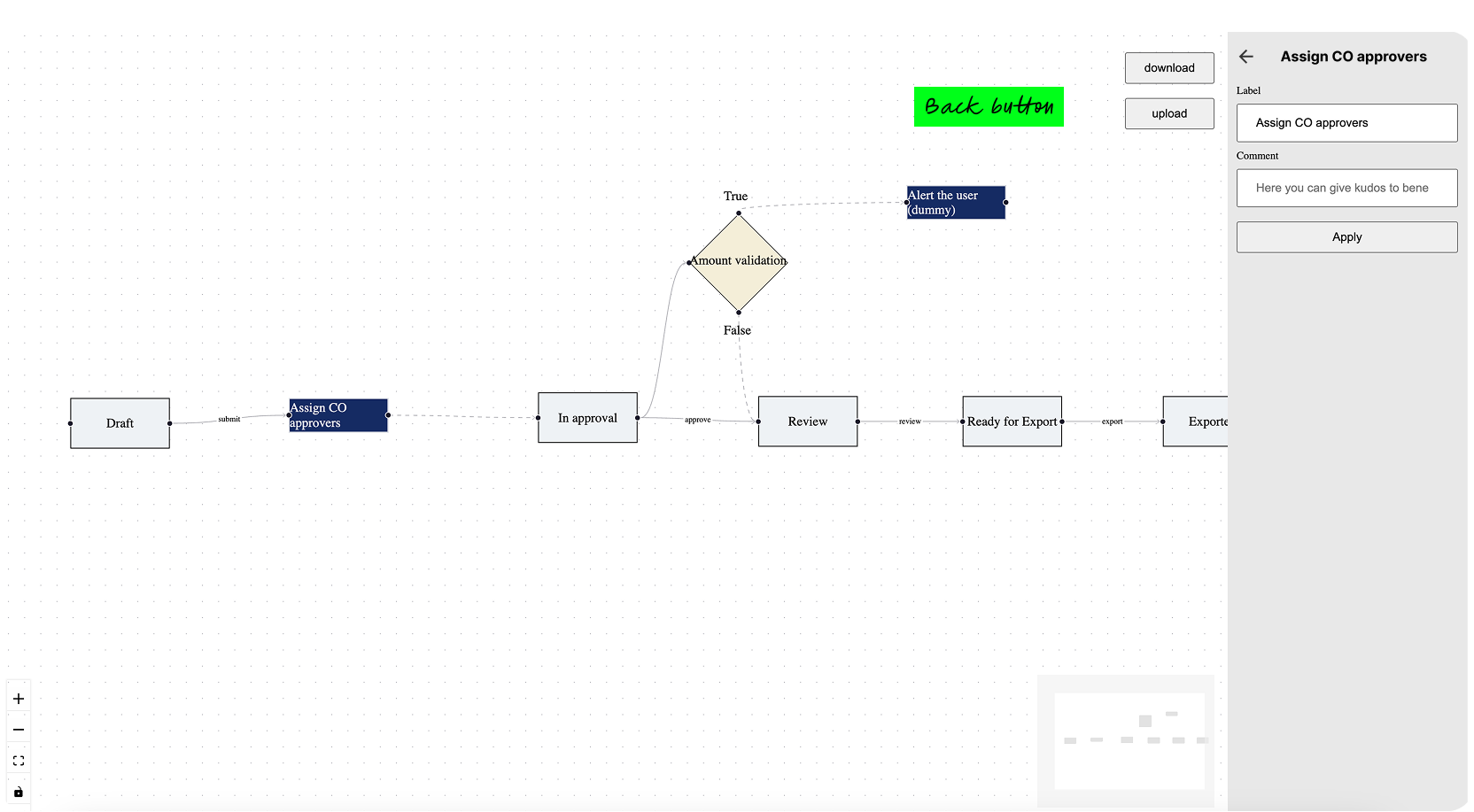
An early prototype we could test
The first prototype was rough, but it worked well enough to put in front of users and learn from their feedback.
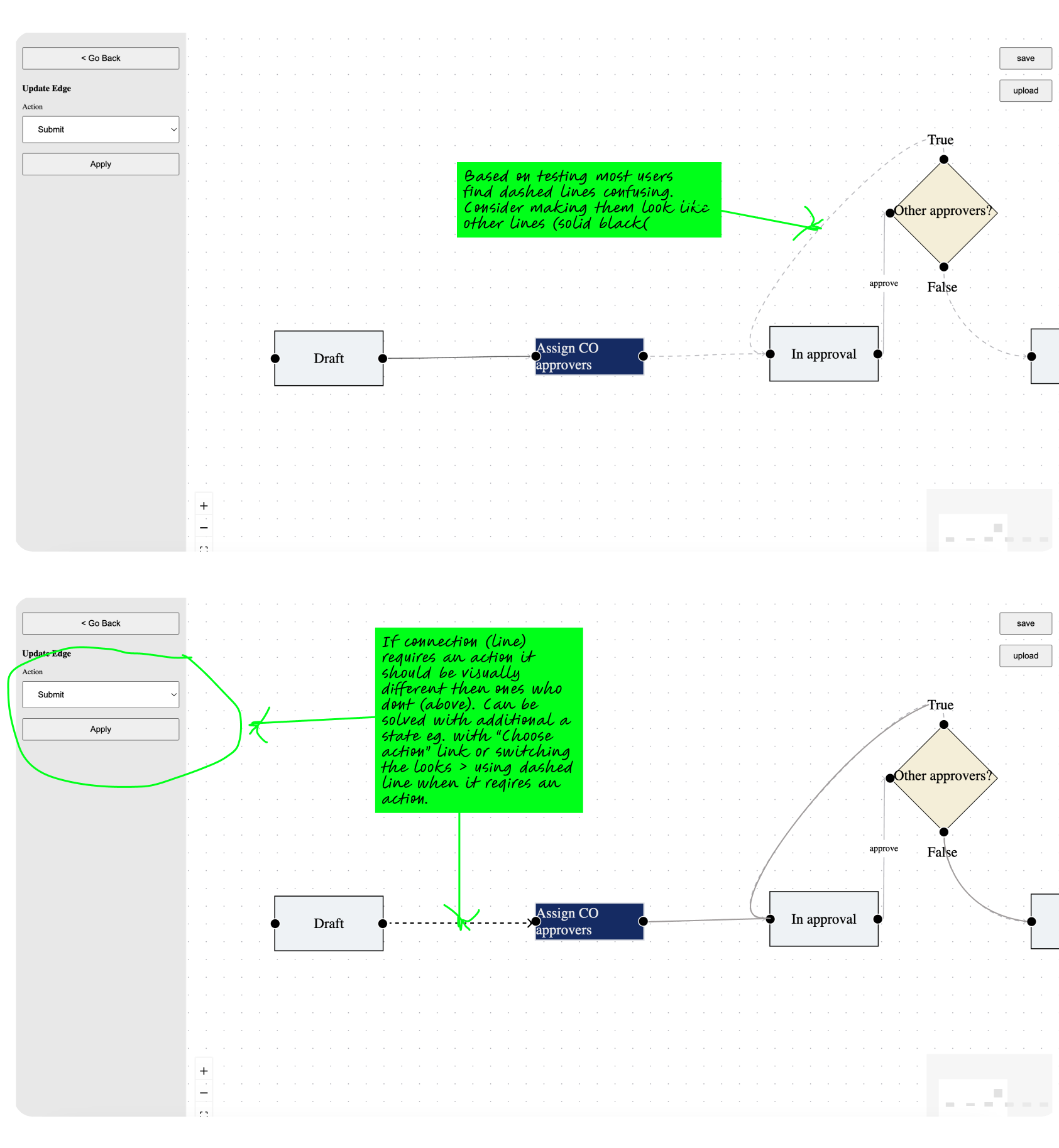
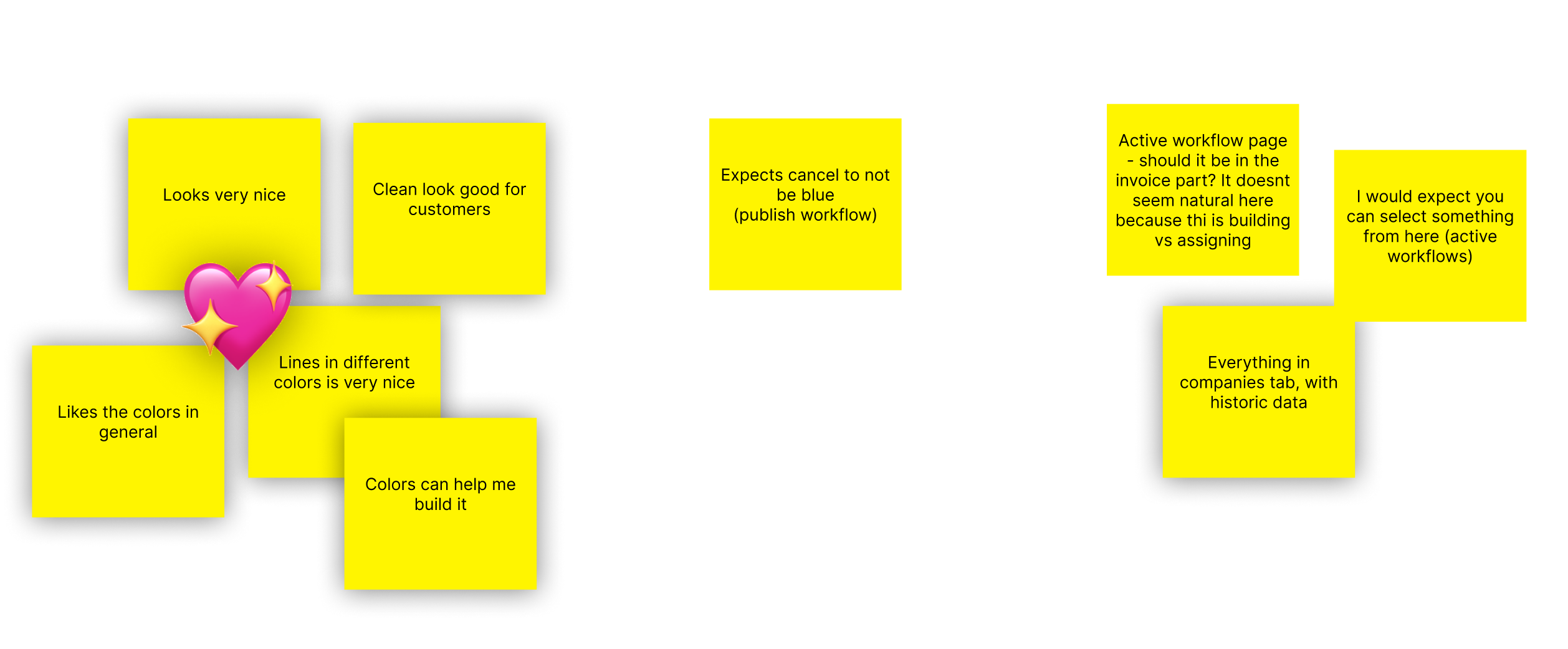
What testing showed
The early workflow configurator did not match the mental models people brought from desktop applications and standard flowcharts. People expected familiar concepts such as Save and Open, Start and End, but the tool often worked differently.
Core pain points
- Condition nodes: people expected logic such as "all" or "any" approvers to live inside the approval node, rather than in a separate box.
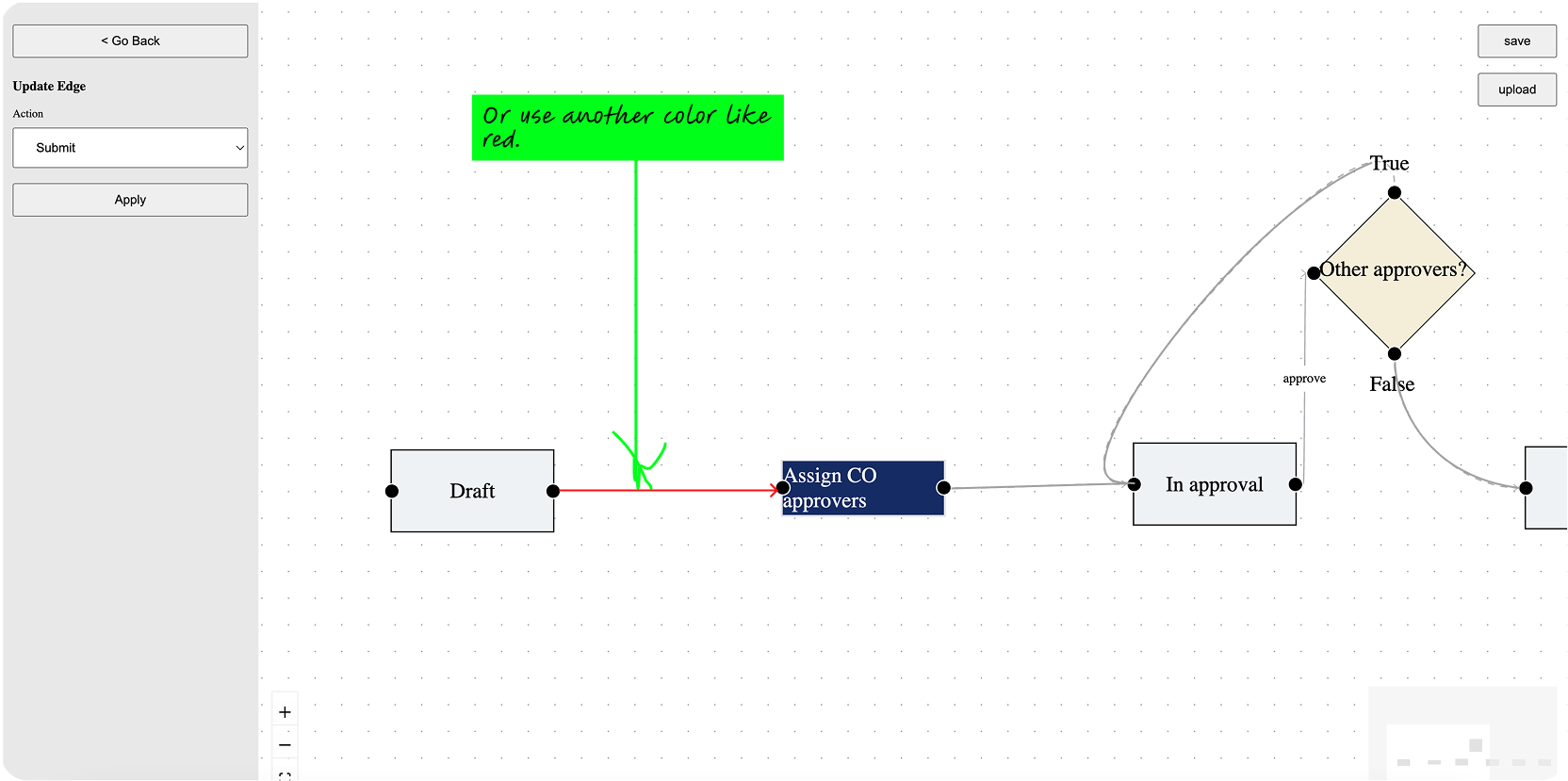
- Connections: line styles were confusing. People could not tell when a line represented a path and when it required an action such as clicking "Submit".
- System labels: Edit, Download, and Upload made people worry about losing work. They expected Duplicate, Save, and Open instead.
- Detail views: people felt stuck without clear Back or Exit buttons. Without a way to test a flow before publishing, they were hesitant to proceed.
Improvements from testing
We prioritised the following improvements based on what we learned in testing.
High priority quick wins
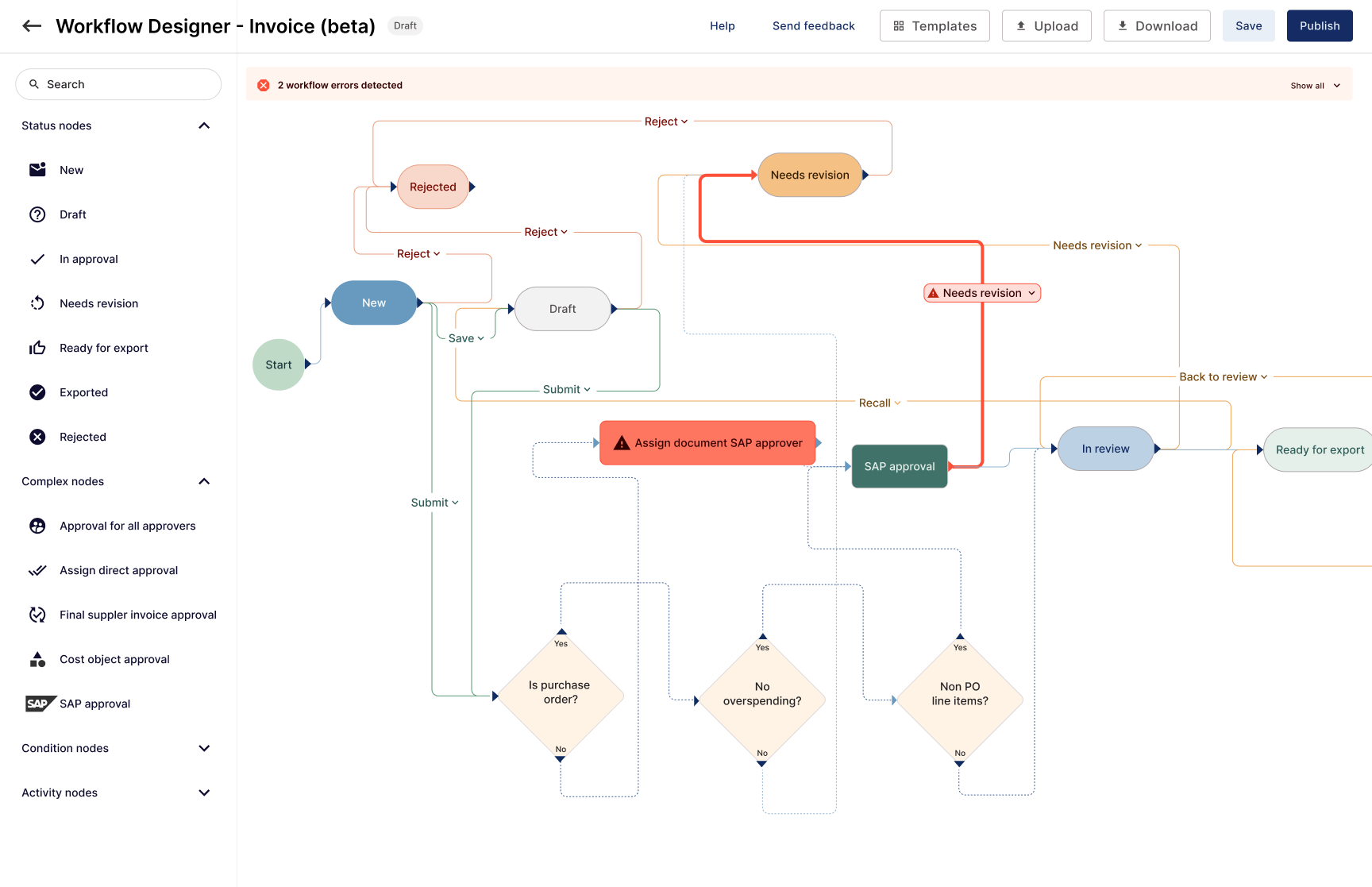
- Rename verbs: change "Edit" to Duplicate, "Download" to Save, and "Upload" to Open.
- Standardise lines: use solid lines for all paths and add a label or badge (for example "Submit") on lines that require user action.
- UI safety: add a Back arrow in the node detail view and enable the Delete key.
Structural & future improvements
- Visual anchors: add explicit Start and End nodes and apply the Yokoy design system for a less "primitive" feel.
- Validation: prevent saving a workflow if a node is missing a required action or connection.
- Test mode: provide a sandbox to run an invoice through the logic before going live.
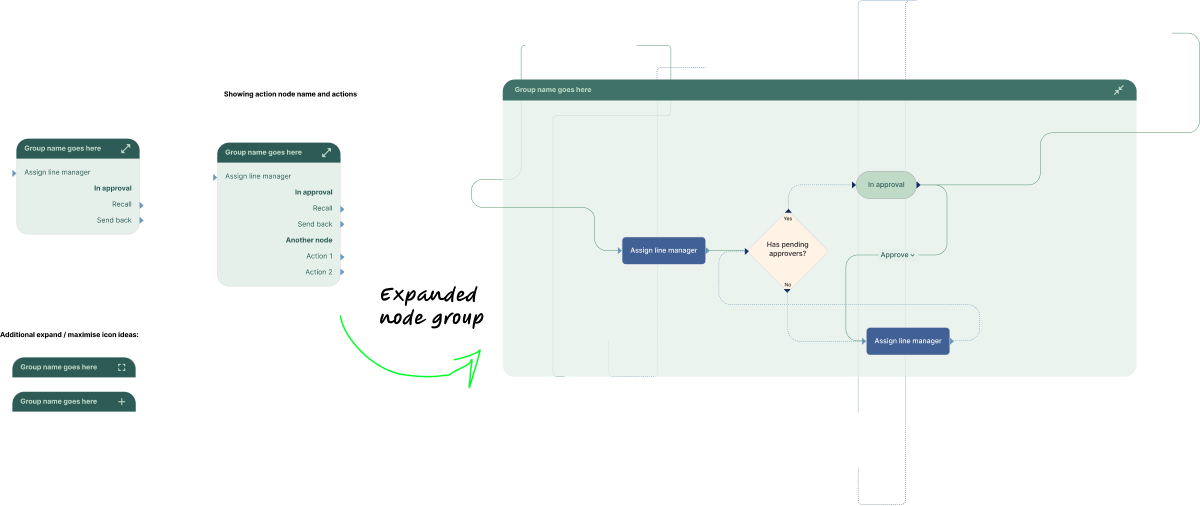
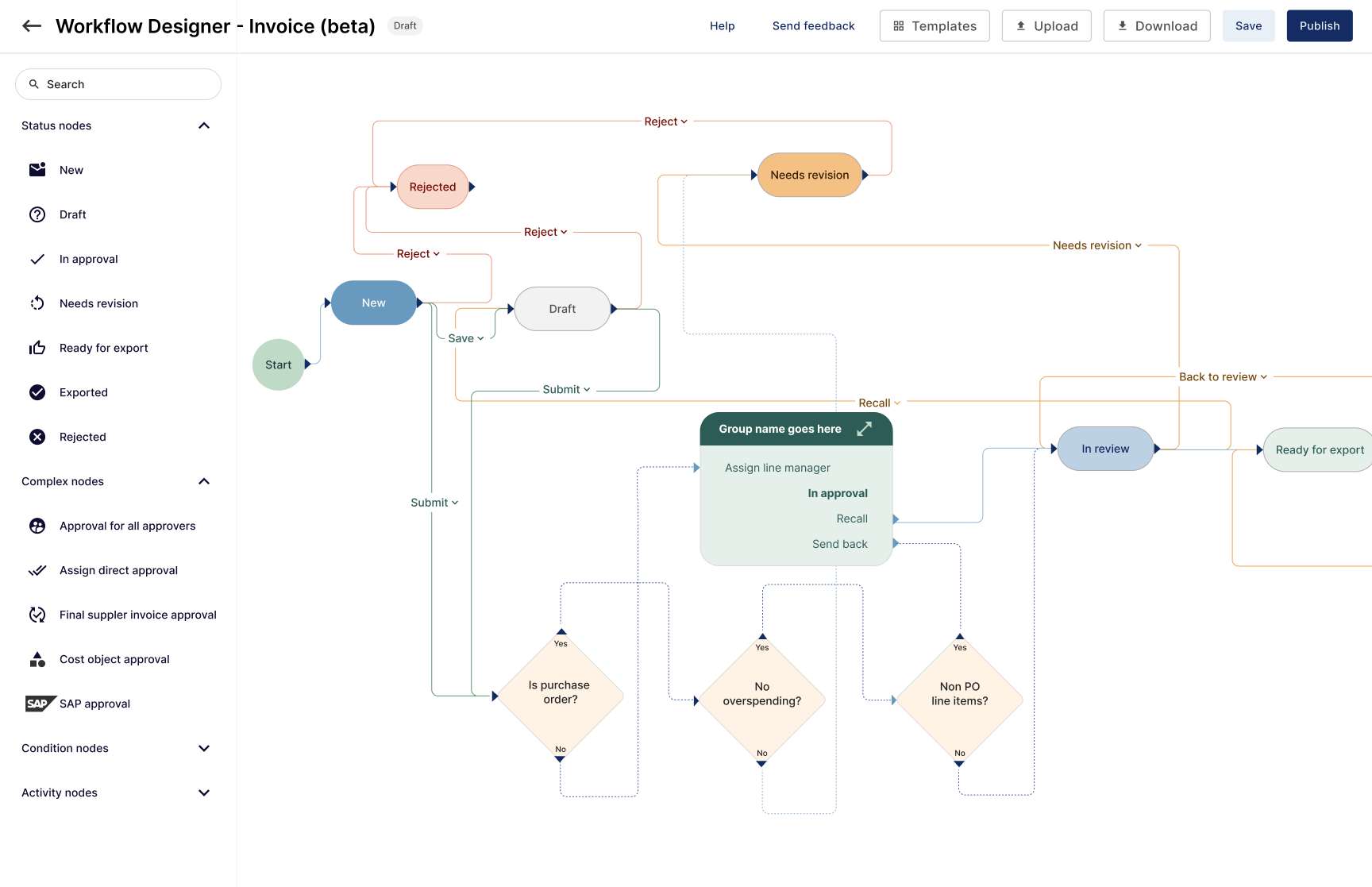
- Grouping: allow grouping of nodes into containers to hide complexity in large flows.
Managing complexity with grouping
Large enterprise workflows quickly became overwhelming. We introduced groups and node containers so people could hide complexity and focus on the part of the flow they were working on.
Rather than seeing dozens of individual steps, users could work with logical units such as a “Cost object approval” group or a “Tag approval” group, then expand only the section they needed to change.
Features for advanced users
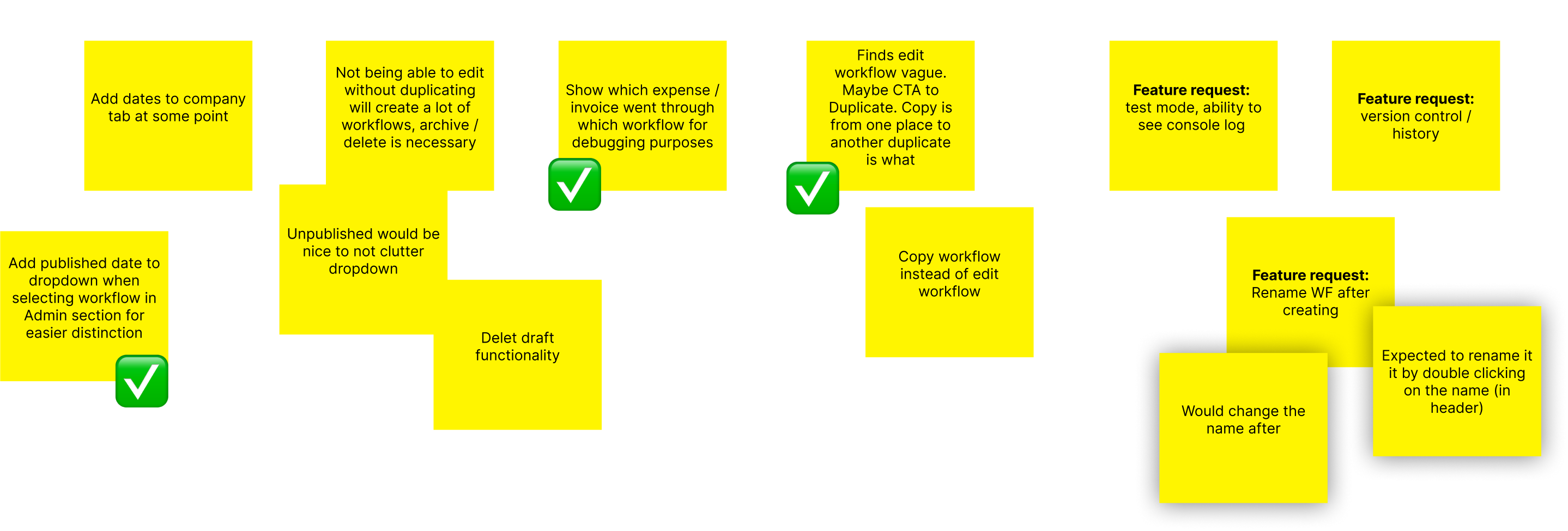
Advanced implementation managers needed more control. Their feedback pointed to a set of features that would make the designer more useful for complex work.
- Test / run mode: simulate an invoice running through the flow and show exactly which path it takes.
- Versioning & history: see who changed what and when, and roll back if needed.
- Better debugging: surface which workflow processed a given expense or invoice for faster support.
- Cleaner lifecycle management: archive and delete unused workflows, and clearly distinguish published vs. drafts.
Pro features
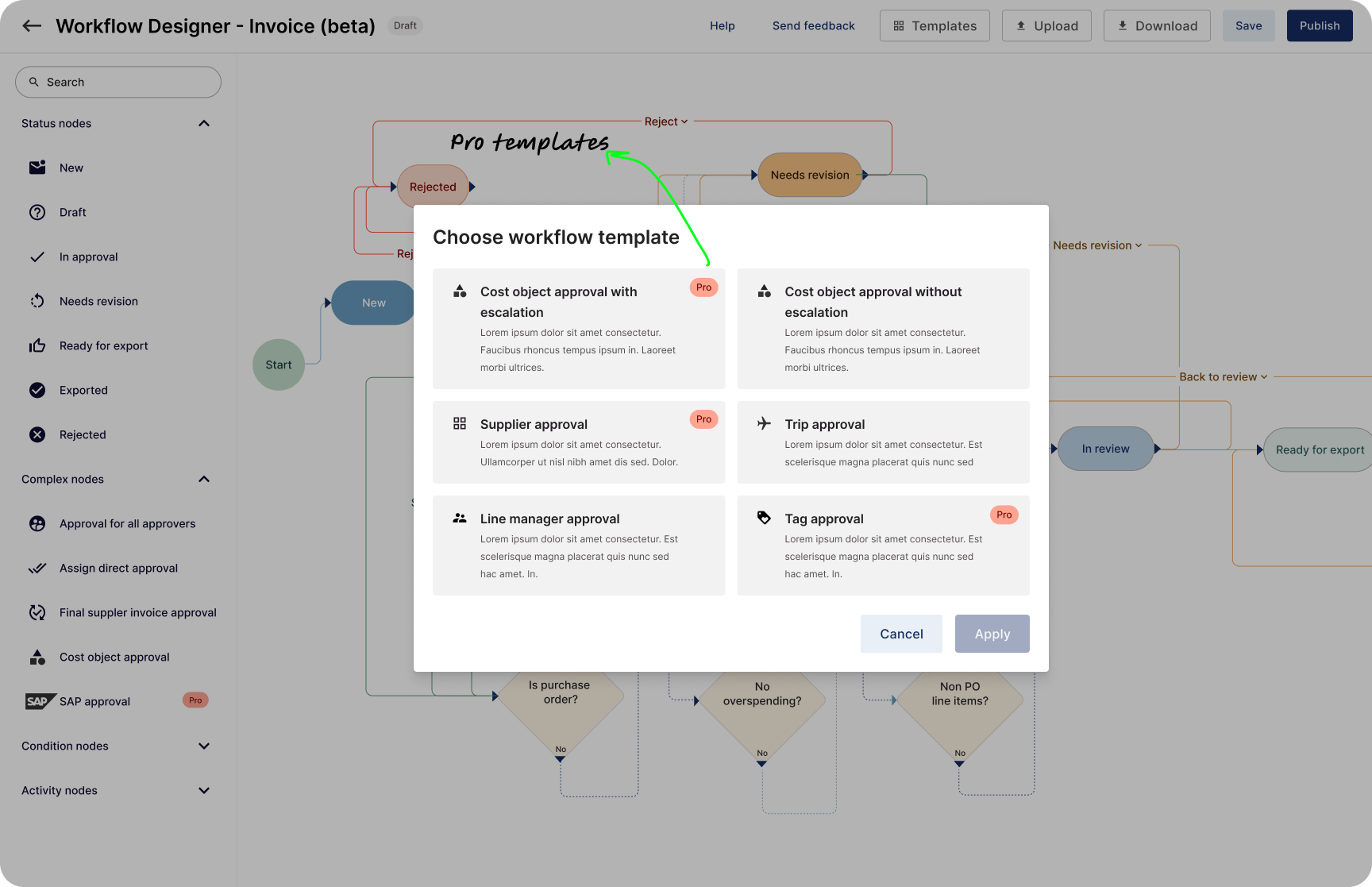
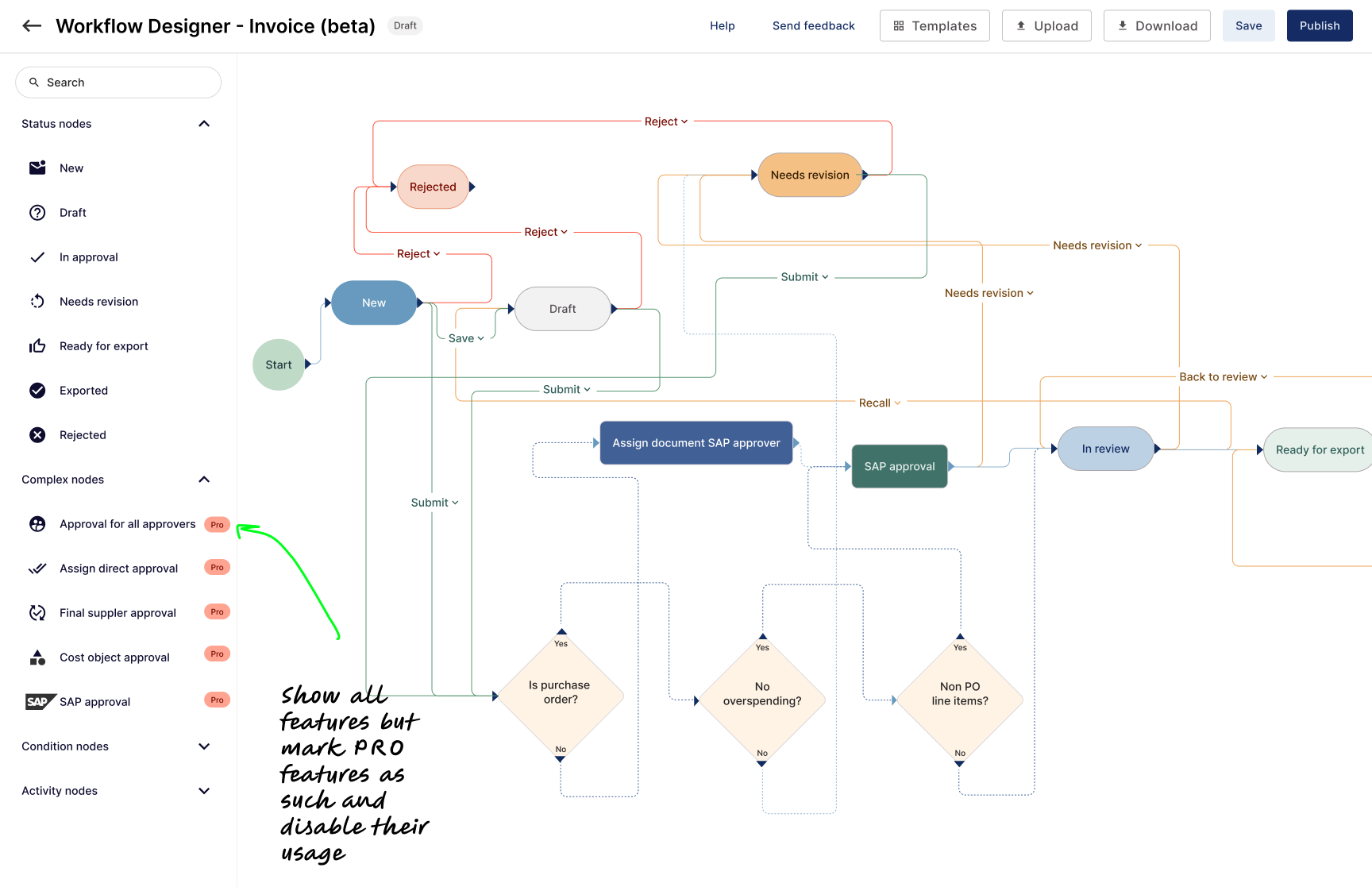
We turned the workflow designer into a tiered product. The core builder stayed accessible, while advanced features were available on the pro plan.
- Templates: Pre-built workflow templates for common scenarios, such as cost-object approval and PO versus non-PO flows, helped customers get started without implementation support. Templates became a key pro offering and reduced implementation time further.
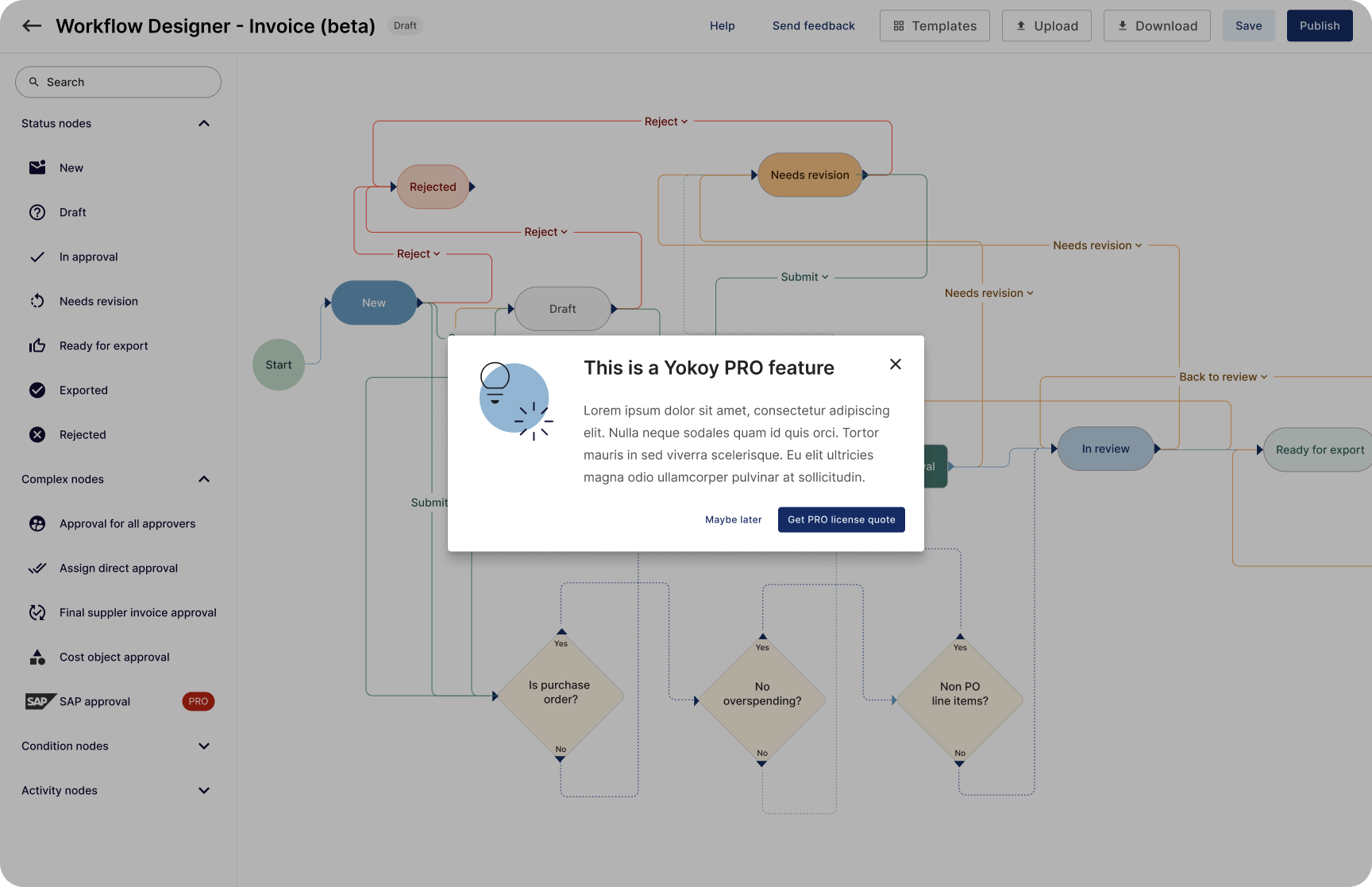
- Locked nodes: Advanced condition and activity nodes, such as custom logic, supplier-based rules, and matching alerts, were part of the pro plan. People could see them in the palette, but adding them to a flow required an upgrade.
- Clear upgrade path: The free tier supported basic flows, while clearly marked pro nodes appeared when teams needed more complexity.
Results
With the visual workflow builder, implementation teams could configure and update complex approval flows in hours instead of months. Customers no longer had to wait for engineering capacity to change business logic.
- Implementation time dropped from months per customer to hours.
- Implementation bottlenecks eased, contributing more than $2M in additional ARR.
- Non-technical users could manage their workflows within safe, validated constraints.
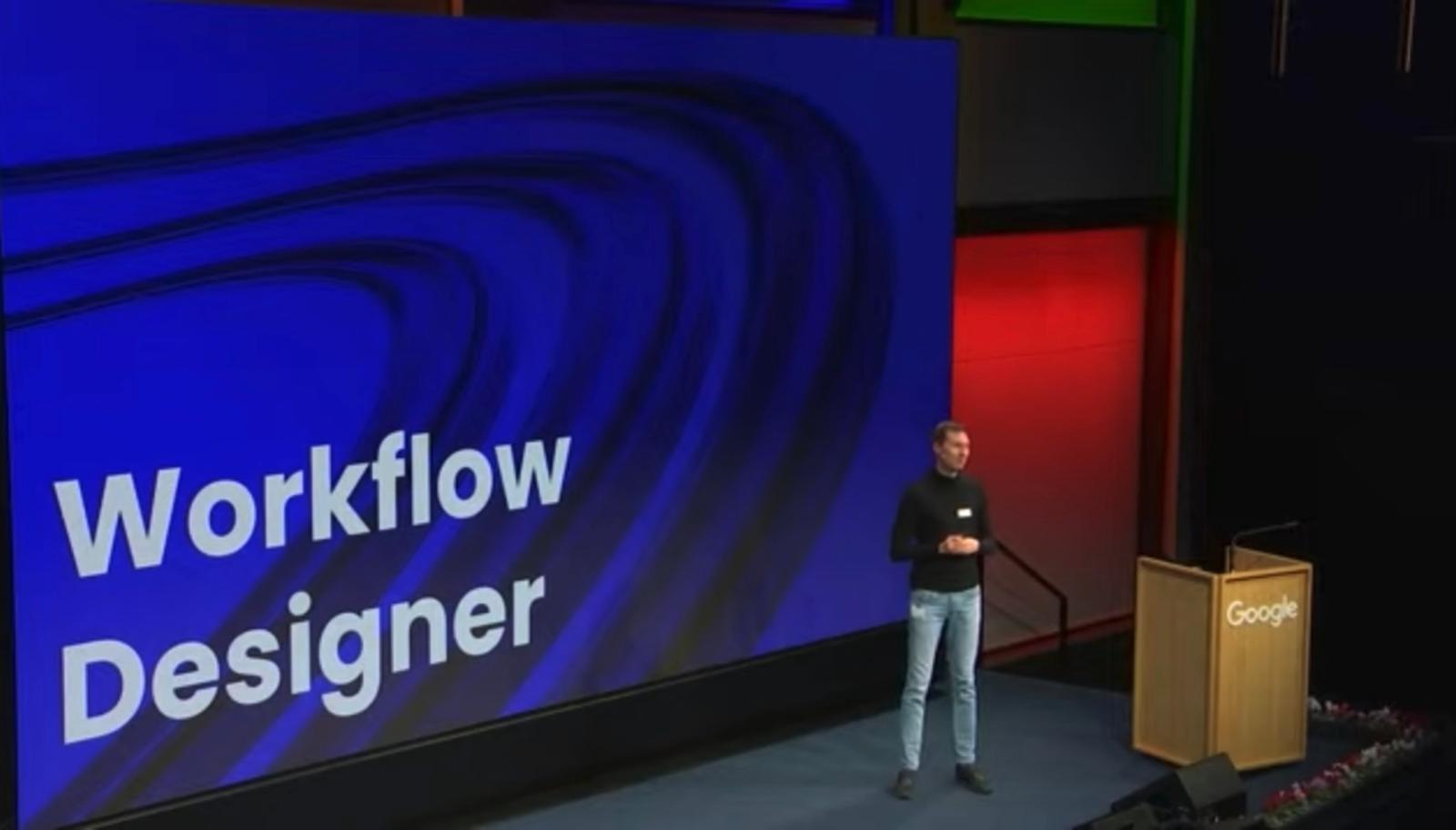
Yokoy CEO presenting Workflow designer to customers and investors at Google HQ, Zurich